


Easy Ways to Download XVideos Videos in High Quality




XVideos.com is a popular adult video sharing and viewing website. It offers a built-in download feature, allowing you to enjoy favorite videos offline ad-free. However, this requires you to register and log in to an XVideos account, and only low quality is offered for download even if the video can be viewed at 1080p. So how can we download high quality videos from XVideos for free? This guide will show 4 download tools that help you achieve the task.
 iFunia YouTube Downloader
Most Reliable XVideos Downloader
- Download MP4 raw videos from XVideos.com
- Download XVideos videos in high resolutions like 1080p and 4K
- Bulk download at high speed
- Edit the video filename before downloading
- Meet more download needs from other sites such as Erome, YouTube, DoodStream, Tubi, and many more
- Private and safe downloads, no ads
 Free Download Windows 10 or later
 Free Download macOS 10.13 or later
Official Way to Download XVIDEOS Videos
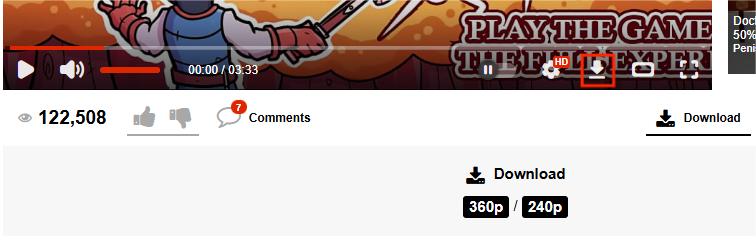
XVideos allows users to download videos in 360p or 240p with a free account. For higher resolution downloads, you have to upgrade to the XVideos Red premium, which costs $9.9 per month.
- Go to the xvideos.com and log in.
- Open the video you want to download.
- Click the ‘Download’ button below the video, and select a quality option.
- The video file will soon be downloaded.
![xvideos download button]()
If you want to download higher quality for free and without logging in, read on to find out some third-party tools.
Use a Fast and Safe Desktop XVideos Downloader
iFunia YouTube Downloader is an all-in-one video downloader program that supports NSFW websites such as XVideos and RedGIFs as well as mainstream sites like YouTube, Dailymotion and Facebook. With this professional video downloader, you can save multiple videos and playlists at once and choose from all quality options including 720p, 1080p, 4K, no account required.
It allows new users to download three videos for free and offers a reasonable lifetime price with free upgrades - way more cost-effective than XVideos premium subscription.
Free Download Windows 10 or later Free Download macOS 10.13 or later
How to easily download videos from XVideos:
- Install and launch iFunia YouTube Downloader on your Windows or Mac computer.
- Copy an XVideos video URL from the browser address bar.
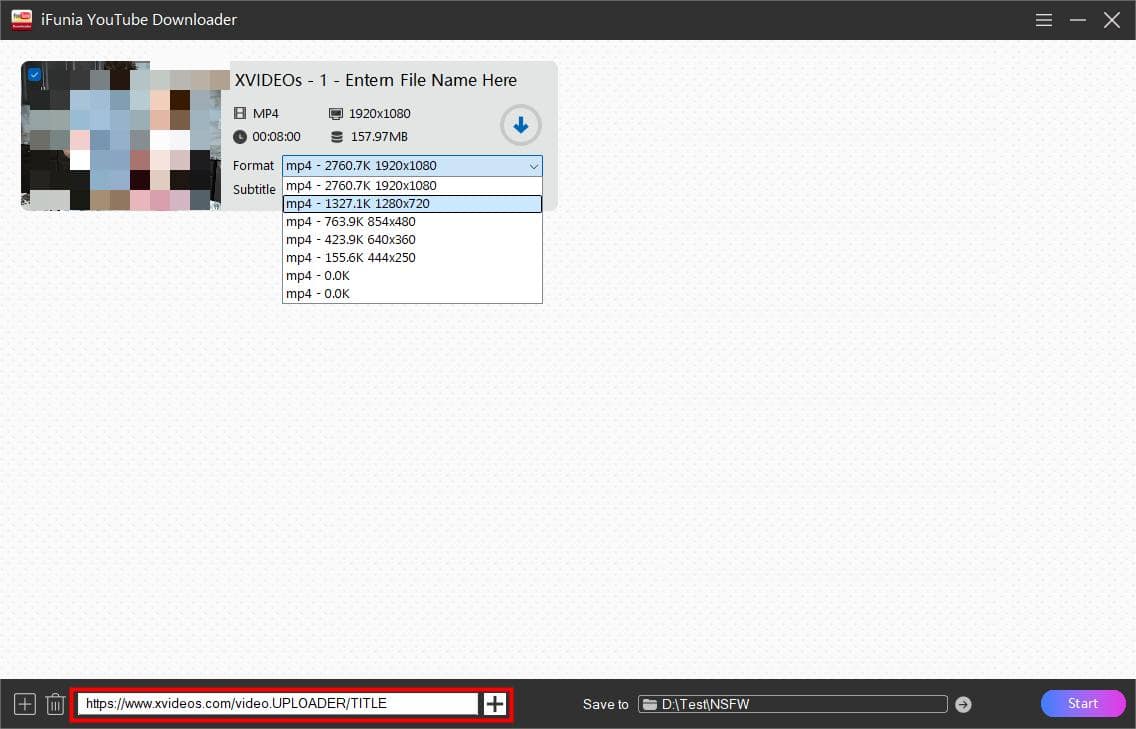
- Paste the URL into the box at the bottom of iFunia interface, and click the ‘+’ button to parse the link. Once the video is loaded, the thumbnail, title, and other info will be displayed in the list.
![ifunia load video from xvideos]()
-
Choose a quality option from the ‘Format’ list. The highest resolution is selected by default. You can also click on the title to edit the filename.
-
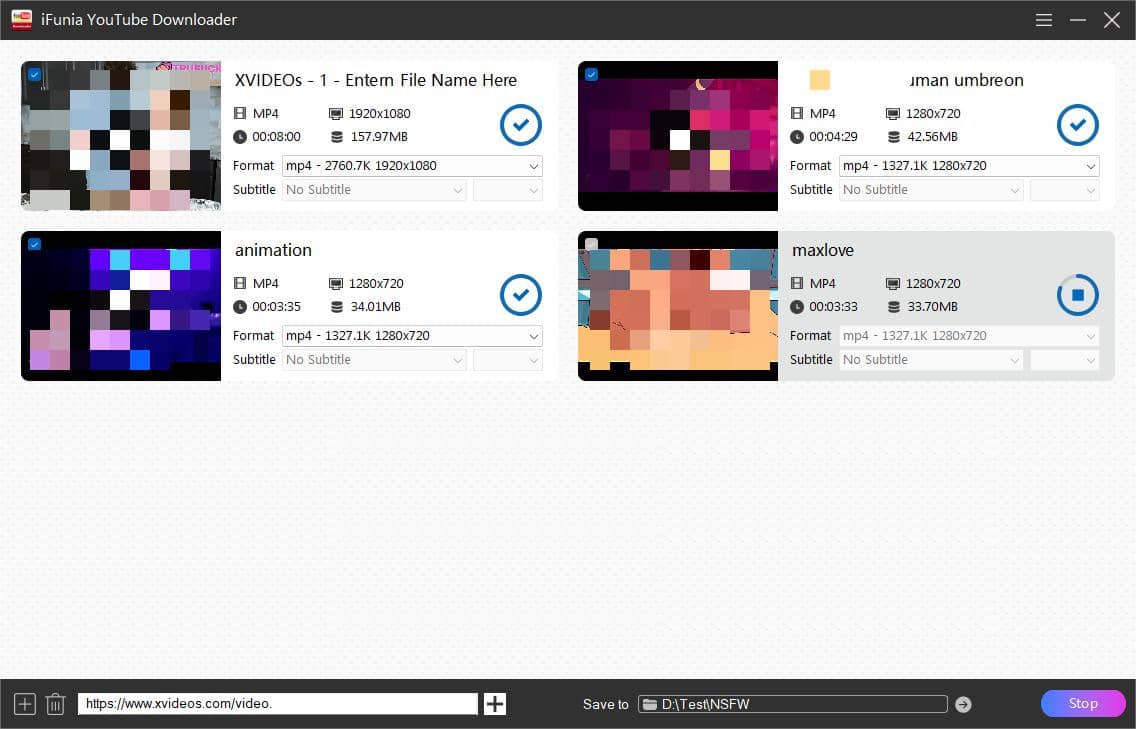
Click the ‘Start’ button to begin downloading videos to your computer.
![download complete]()
Tip 1: To batch download videos, you can click the Add button at lower left corner and input all the URLs into the pop-up window, and click ‘OK’ to parse them in one go.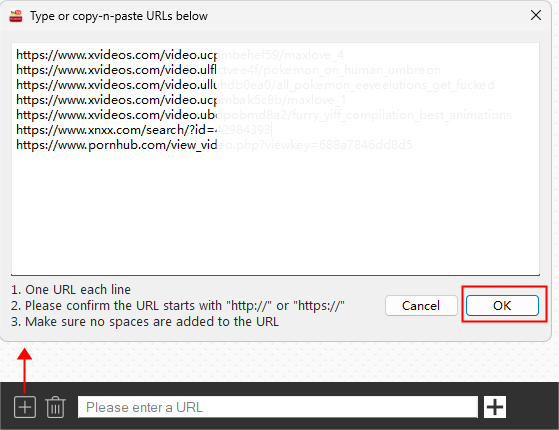
Tip 2: To change where the videos are saved, click the ‘Save to’ folder icon at the bottom and select a save folder.

How to Download XVideos Videos Online in HD
It’s not easy to find a reliable online downloader for XVideos since most sites only provide lower quality options. After testing over 15 sites, here are two online downloaders that offer high quality XVideos downloads.
#1. 9xbuddy
9xbuddy is a free online video downloader that lets you download full HD videos from XVIdeos and other similar sites. The only drawbacks are that it sometimes fails to extract high-quality versions and you may encounter an access error if you download too frequently. It also offers free Android apps for faster experience.
- Visit the 9xbuddy online video download helper. It has multiple domains, so just search for it and open the first result.
- Enter an XVideos video URL and hit ‘Download’ to parse the link.
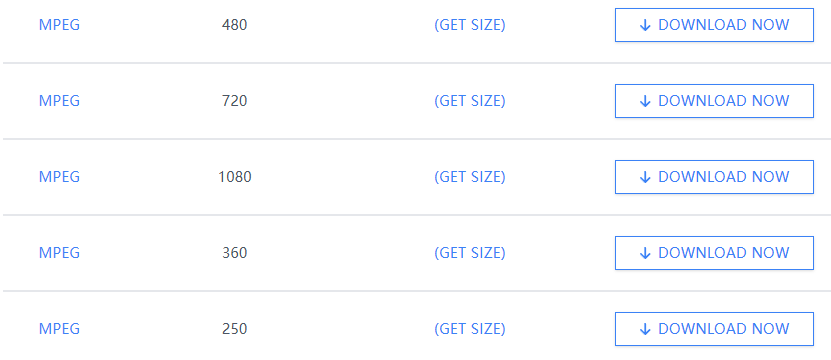
- Scroll down to view all quality options for download, and find the one you want.
- Click ‘DOWNLOAD NOW’ to start downloading the XVIDEOS video as .mpeg video file.
![online xvideos downloader 1]()
#2. Dirpy
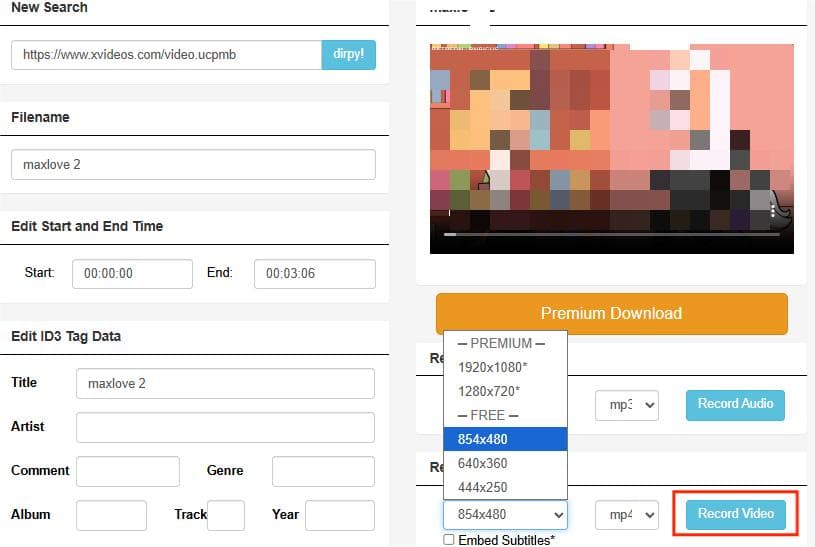
Some XVideos online downloaders redirect users to dirpy.com, a powerful online video downloader with premium service. It lets you to download XVideos videos in MP4 at 480p or lower for free. Higher qualities like 720p and 1080p are only available to dirpy monthly or yearly subscribers.
- Visit dirpy.com.
- Copy and paste an XVideos video link and click the ‘dirpy!’ button to gather the video info.
- Edit the video start and end time if needed.
- Choose a video quality and format, then click the 'Record Video' button to start download the download process.
![]()
Download from XVideos With a Browser Extension
Videos on XVideos.com are HLS (.m3u8) streams, and you can use a browser extension called ‘HLS Downloader’ to grab them. The extension can capture video as you play it, and download it to .ts format. It’s available for Chrome, Firefox and Edge.
Steps to download XVideos videos in HD with HLS Downloader:
- Install ‘HLS Downloader’ add-on on your web browser.
![chrome extension downloader for xvideos]()
- Go to XVideos.com and play the video you want to download.
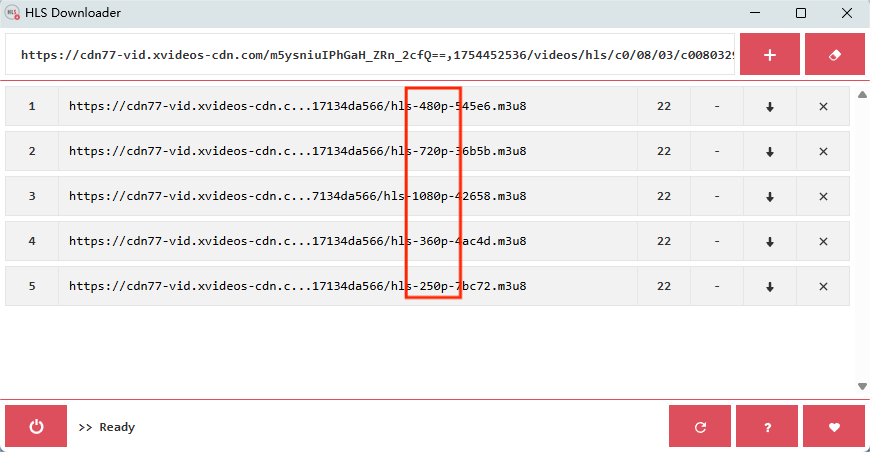
- Click the extension icon and a small window will appear to show you download options.
- Choose the video quality you prefer and click the down arrow button '↓' to begin downloading it.
![hls downloader download from xvideos]()
- When the download has finished, the video file will be saved to your downloads folder automatically.
- Check if the downloaded video file playable on your device. It plays fine with the Windows Media Player on my PC.

Conclusion
Downloading XVideos videos in high quality is an easy task using the right tool outlined above. iFunia YouTube Downloader can batch download videos via links and avoid leaving a browser history trail. It's a good one-off investment if you need to frequently download videos from sites like XVideos.
Browser extensions are free to use, but they often require playing a video for a while in order to detect and download the video files. If you want to download XVideos content on mobile, the easiest solution is to use the online downloader like 9xbuddy and dirpy.
Disclaimer
The methods in this article are for personal use only. Before downloading, you must comply with copyright laws and obtain permission from the owner for protected content. The author is absolutely against the downloading of unauthorized video/audio files or using them for commercial gain.

Chloe LEE is good at explaining and solving complex technology problems to her readers. Since joining iFunia Studio, she has focused on writing articles about video and DVD software, and how-to tutorials.
Comments (0)
Leave a Reply