


How To Download LinkedIn Videos? [Best 4 Ways]




Can I Download a LinkedIn Video (post and learning course)?
Yes. You can download not only video from LinkedIn post, but also LinkedIn learning course videos, as long as you find and use a professional LinkedIn Video Downloader.
In this article, you will find the answers with detailed picture tutorials on how to download LinkedIn videos using some efficient and tested video tools.
 iFunia YouTube Downloader
Best Method to Download Video From LinkedIn
- Download Almost Any Video. As a video downloader, iFunia allows one to download videos from various sites (LinkedIn, YouTube, Facebook, Reddit, etc.), and live streams without limit. If you have regular video download needs, a such professional one is practical.
- Efficient Batch Download. This function enables you to download 10, 50 videos, or a whole playlist at a time. You leave the program running in the background, meanwhile, you do your own business without being disturbed.
- Keep Original Quality. Save videos in a large variety of resolution options, from 176p to 4K, even 8K, according to your original video quality.
- Fast Processing Speed. With the simple interface and fast multi-stream processing, you can get your videos downloaded quickly. While it depends also on the video length and the resolution you chose.
- Used as A Video Player. Once the videos are downloaded, you can directly play them in the software without opening another media player.
- Safe & Legitimate. Feel safe to use the program and it won’t give you any ad or virus.
 Free Download Windows 10 or later
 Free Download macOS 10.13 or later
#1 Download Videos From LinkedIn With iFunia [Recommended]
iFunia YouTube Downloader, as its name indicates, it downloads YouTube videos, but not just that. It can download all kinds of videos from 1000+ sites and platforms such as LinkedIn, Facebook, Instagram, Dailymotion...
What’s more, it downloads videos from LinkedIn in batches and in high quality. That means you add as many LinkedIn videos as you want and the program will start downloading all of them simultaneously while keeping the original quality.
How to Download with iFunia:
- Copy the LinkedIn video link.
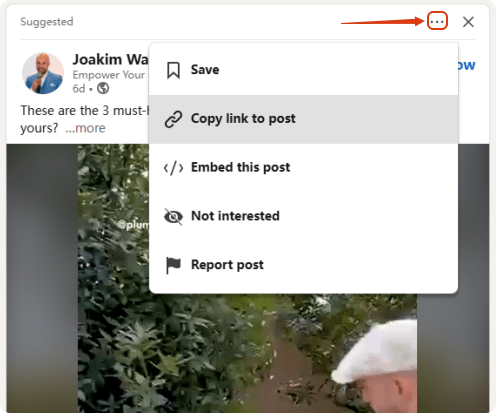
For LinkedIn post videos, find the three-dot icon and select Copy link to post.![how to download linkedin videos]() For LinkedIn learning course videos, in the list, right click the learning course and choose Copy link address.
For LinkedIn learning course videos, in the list, right click the learning course and choose Copy link address.![download video from linkedin]()
- Free download iFunia YouTube Downloader on Windows or Mac.
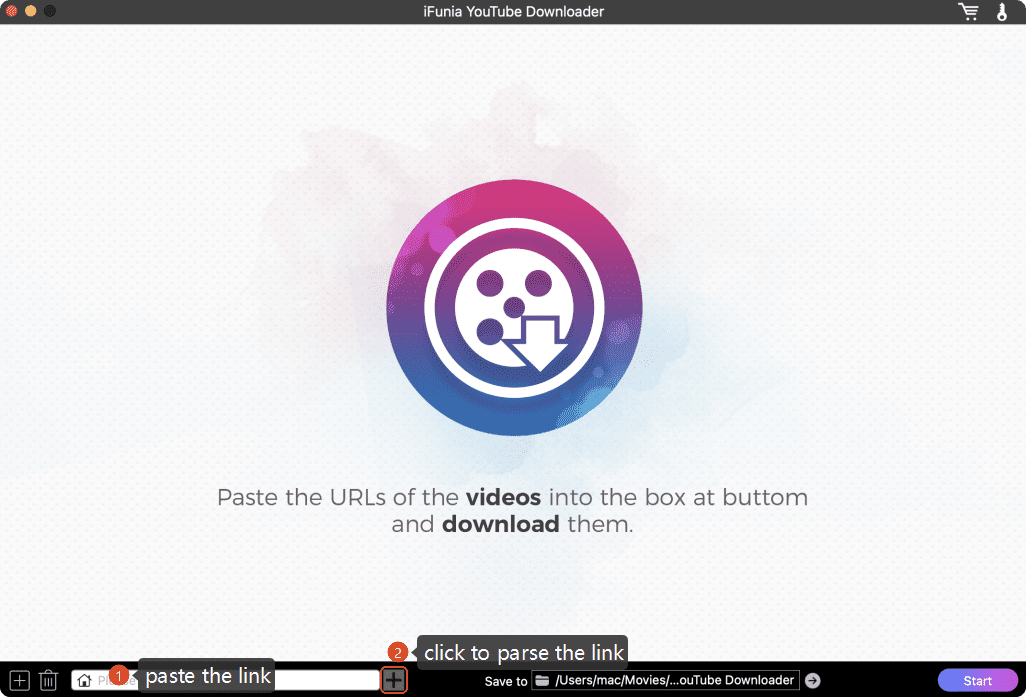
Free Download Windows 10 or later Free Download macOS 10.13 or later - Paste the video link you copied into the program search bar, and click the ➕ on the right to parse the links.
Tip: It may pops up an information dialogue box saying “Access failed, please log in to your account through the website first.” In that case, make sure you have logged in to your LinkedIn account.![download videos from linkedin]()
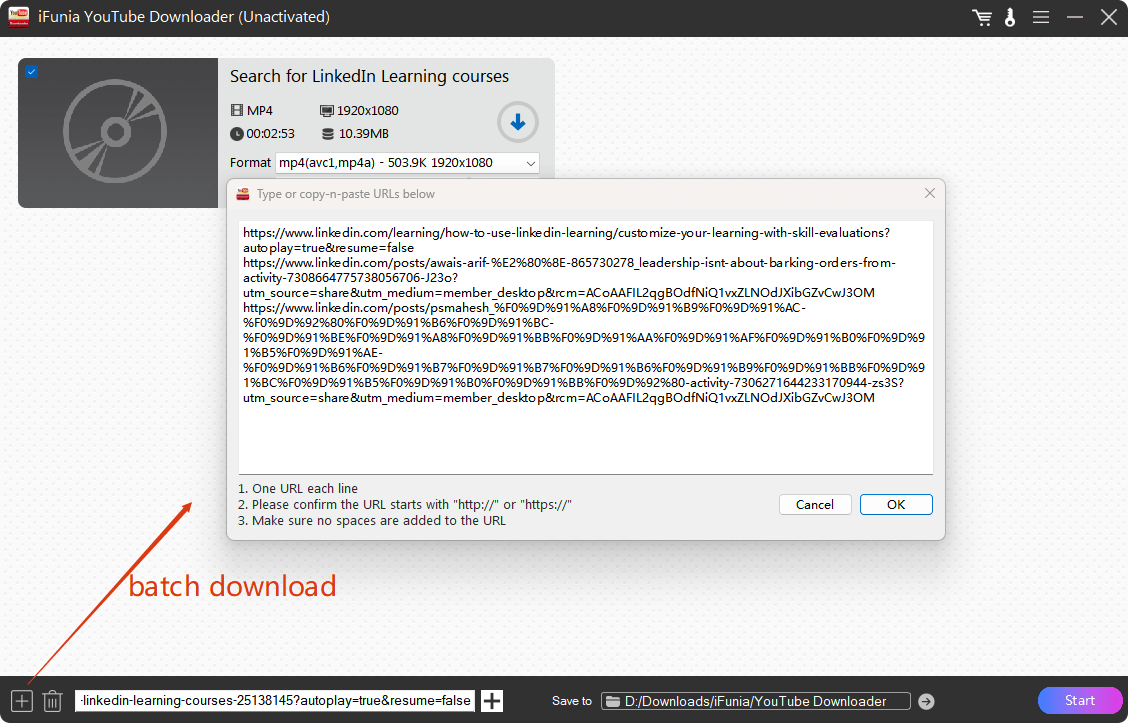
- For batch download videos LinkedIn, click the ➕ on the left to paste all the video URLs at a time.
![batch download videos from linkedin]()
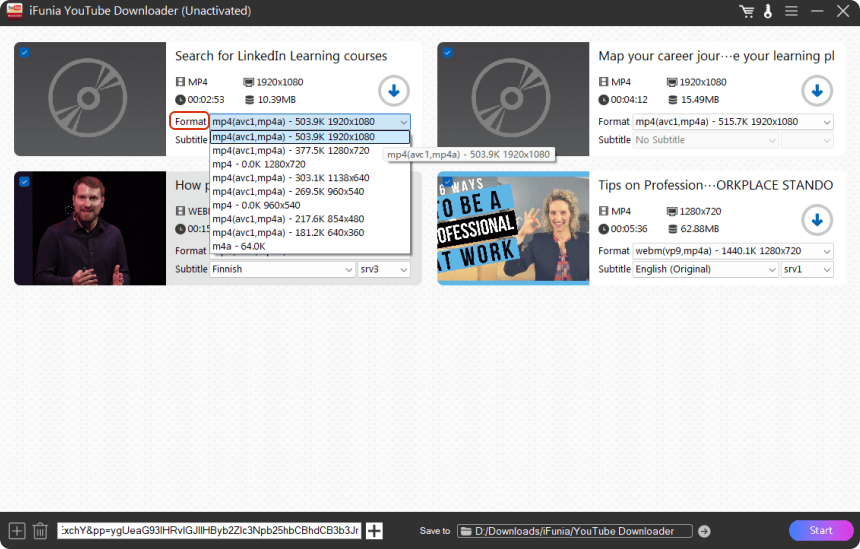
- Now, choose an output format with a resolution according to your needs, and a subtitle if it’s available. Then, choose a path to save the video files and click Start.
![download video from linkedin post]()
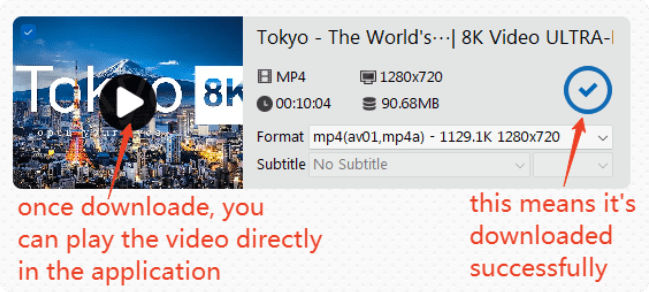
- After just a few seconds’ waiting, the videos will be downloaded and you can play and preview them directly in the software. To find the videos downloaded in the folder you chose, click the mark.
![how to download a video from linkedin]()
 For LinkedIn learning course videos, in the list, right click the learning course and choose Copy link address.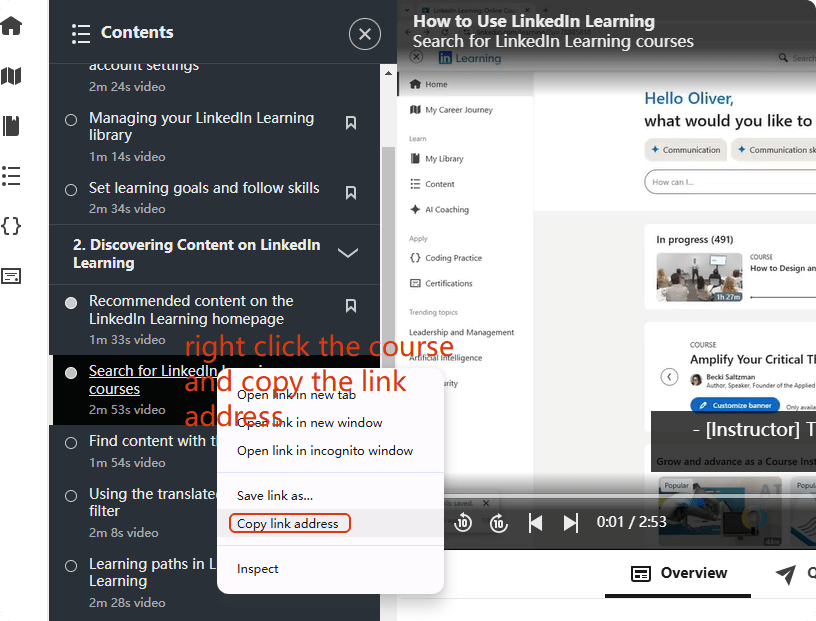
#2 Download LinkedIn Video Online
If you don’t want to install software on your computer, online tool is an ideal option for you as it’s easy and quick for simple video download needs. What’s more, most of them are free to use on computers and smart phones. Hence in this part, I’ll introduce 2 online LinkedIn video downloaders.
However, they have cons. There are no batch download features and for long and complicated videos, they usually take longer time than desktop software. Besides, they are not stable with an unreliable quality and constant ads which may carry major risks to your devices.
#2.1 Content Studio
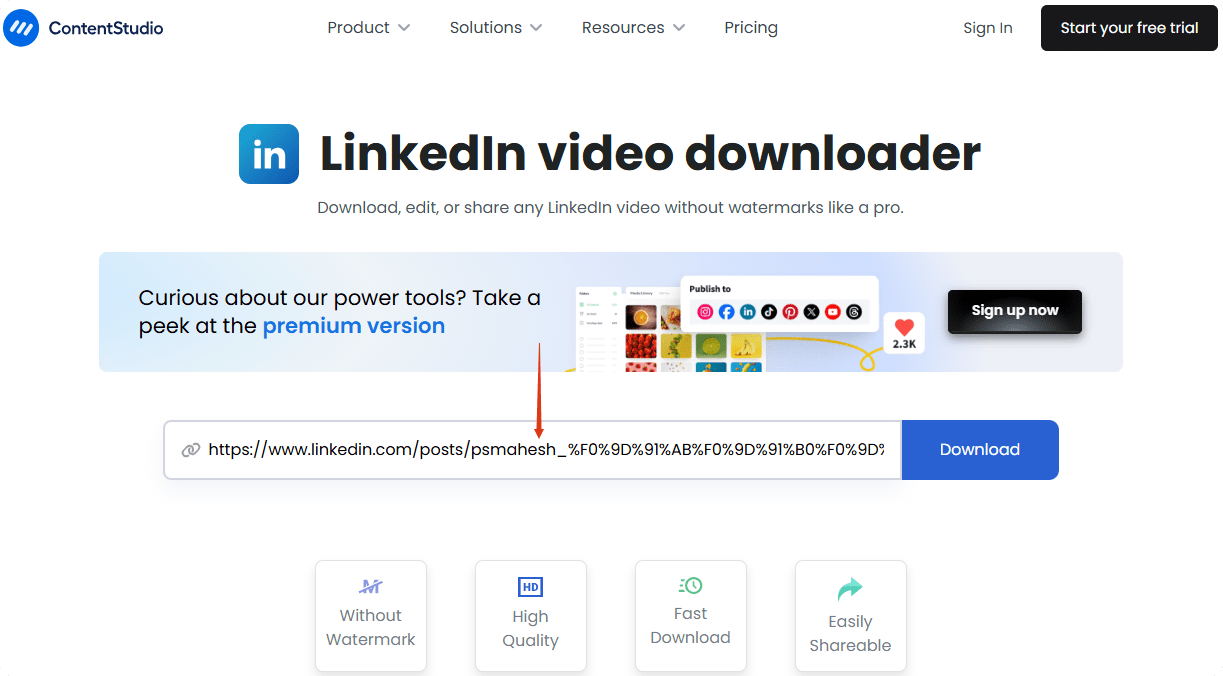
Content Studio is an online video downloader for various platforms like LinkedIn, Facebook, Twitter, and more. It helps download, edit and share LinkedIn videos without watermarks.
Cons: It seems it cannot download LinkedIn learning course videos.
How to Download with Content Studio:
- Navigate to Content Studio on PC or mobile phones.
- Copy and paste the video link into the search area. Click “Download”.
![download linkedin video online]()
- Tap on “Continue download” to get the video downloaded.
![download video from linkedin online]()

#2.2 Taplio
Taplio is a LinkedIn-dedicated tool that can download LinkedIn videos, generate LinkedIn headlines or carousels, and format LinkedIn posts. It downloads LinkedIn video post as well as LinkedIn learning courses.
Cons: Not as the tool indicates, it’s not entirely free at all. After 5 free downloads, it will demand an account registration and a paid plan t.
How to Download with Taplio:
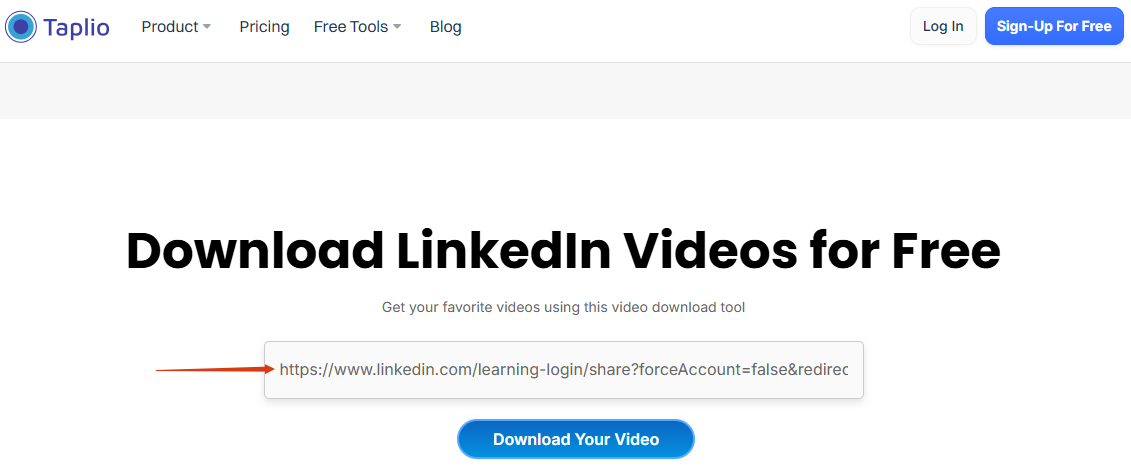
- Copy the video link as in the first method. Head to Taplio on browser like Goole, Edge, or Safari.
- Paste the video URL into the search bar and click “Download Your Video”. After 5 free downloads, you have to create an account and pay for a plan.
![download linkedin videos online]()
- Then, it will load the video. Find the three-dot icon at the right below corner of the video, and select “Download” to get the video.
#3 Download LinkedIn Video Chrome Extension
Another way without copying and pasting video links is using Chrome extensions. They are integrated into the browser and choose them once you need them.
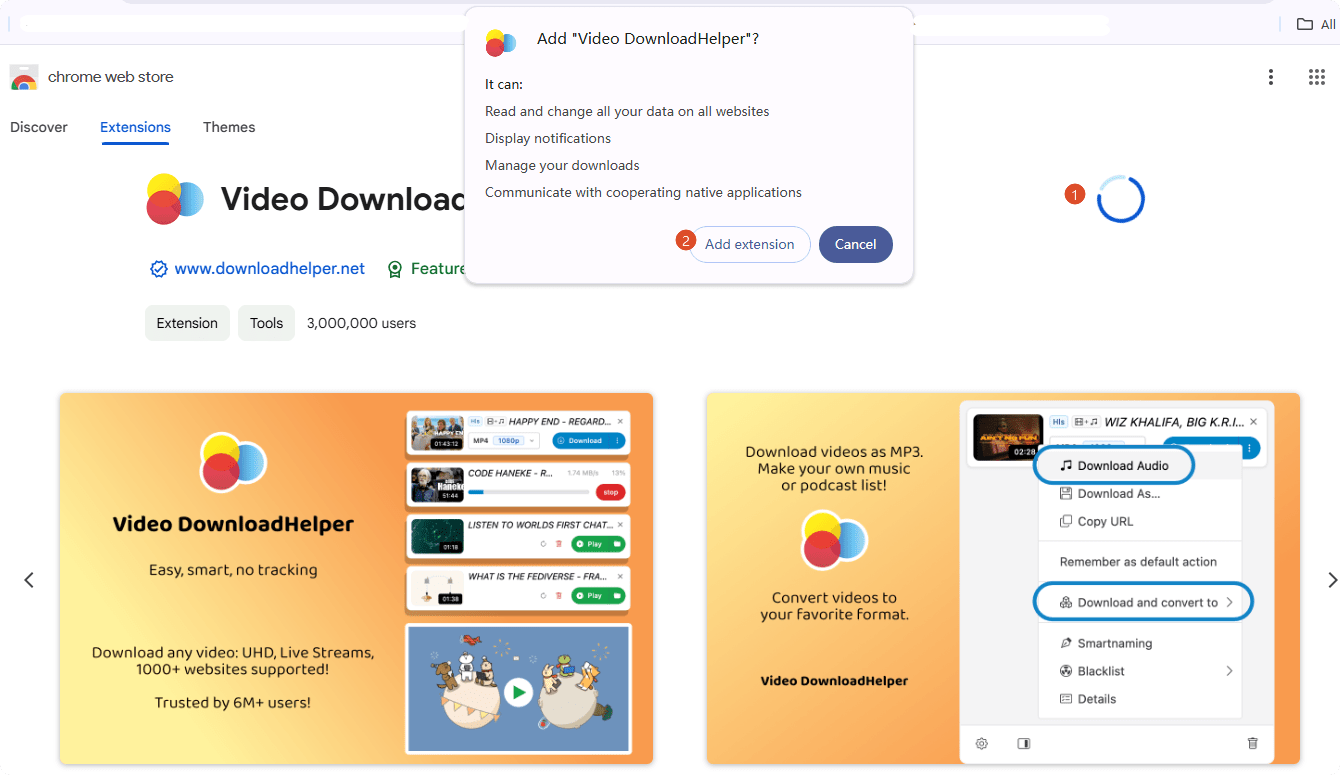
The one I recommend is Video DownloadHelper, which can download videos and live streams from hundreds of websites. It can download not only LinkedIn post feed, but also LinkedIn learning courses. Plus, it can convert videos to formats like MP4 and MP3 directly.
Cons: While Chrome extensions are also not reliable and not stable for long-term video download needs, as they may contain malware and adware, and may be taken down by the browser.
How to Download via Extension:
- Add the extension Video DownloadHelper into your browser.
![linkedin download video]()
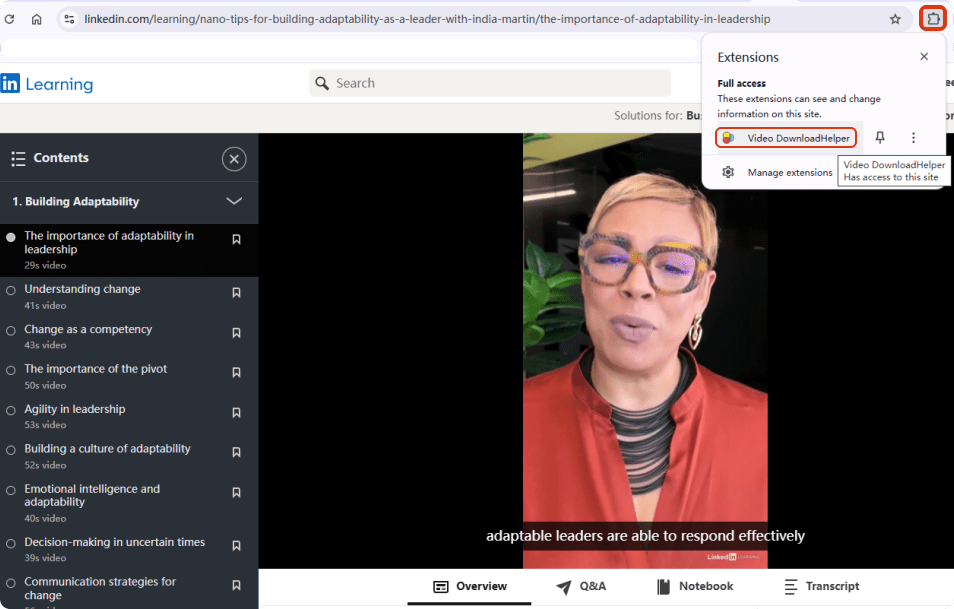
- Play the LinkedIn video or learning course, and tap on the extension icon from the upper menu bar to find the extension you installed.
![download a video from linkedin]()
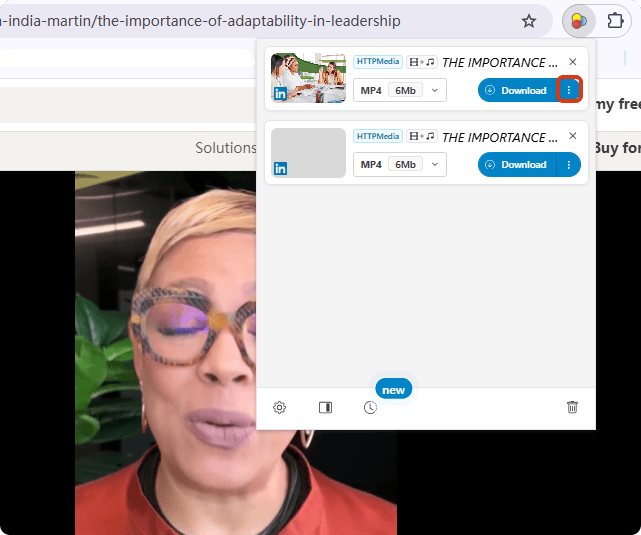
- Click on the extension and it will list the available download options. Choose one to download. Click on the three-dot icon for more download preferences.
![download from linkedin video]()
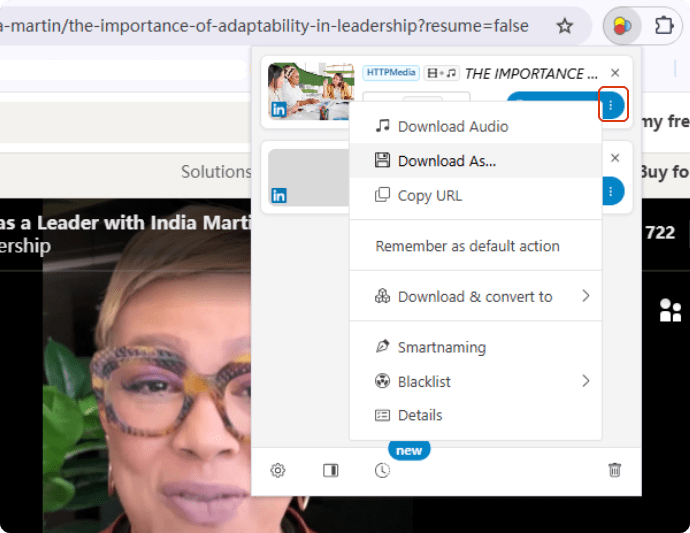
- You can choose to download only the audio or convert to other formats.
![free download video from linkedin]()
Other Questions About LinkedIn
How to See Saved Videos on LinkedIn?
If you saved the post videos on LinkedIn, and want to watch them later without looking around. You can find them in the “Saved items” on the home page.
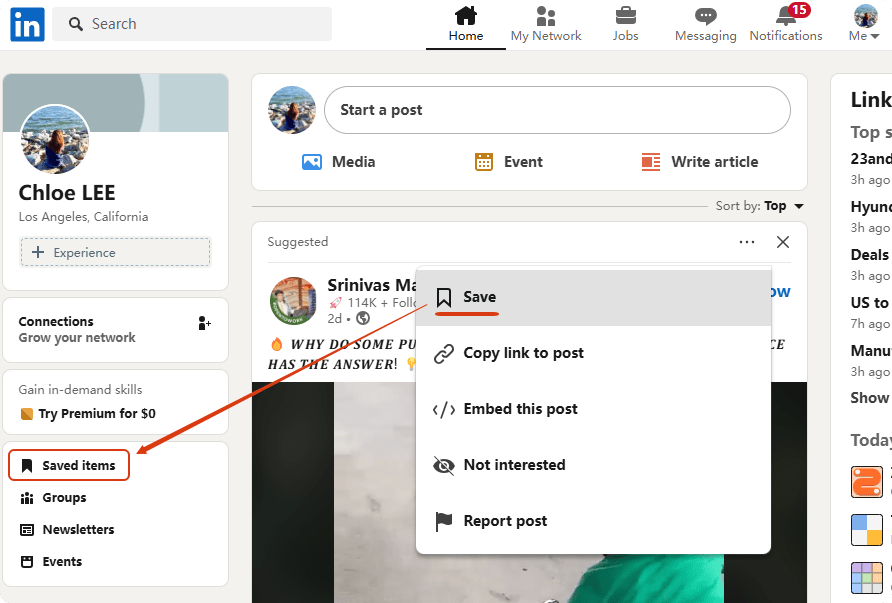
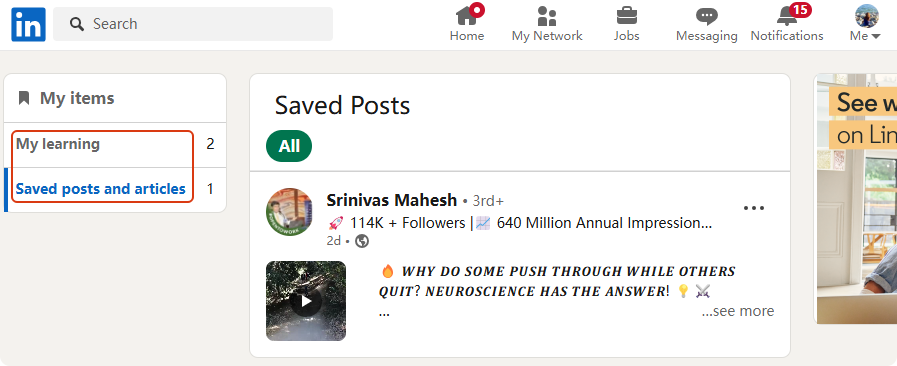
There, you can find the learning courses and post videos and articles you saved before under “My items”.
Can People See if You Saved Their LinkedIn Post?
No. Other people will not see if you have saved their post videos or articles. This is a private action that can only be found by yourself.
How Do I Download Experience From LinkedIn?
The Experience section in your LinkedIn shows your accomplishments during your professional career. Well, how to download it so you can share your previous work experience with others?
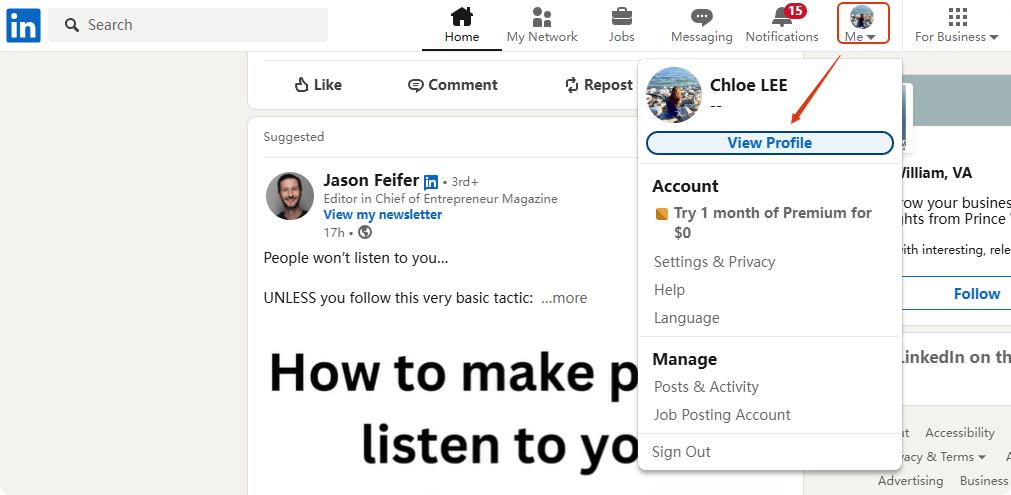
Head to your LinkedIn Profile.
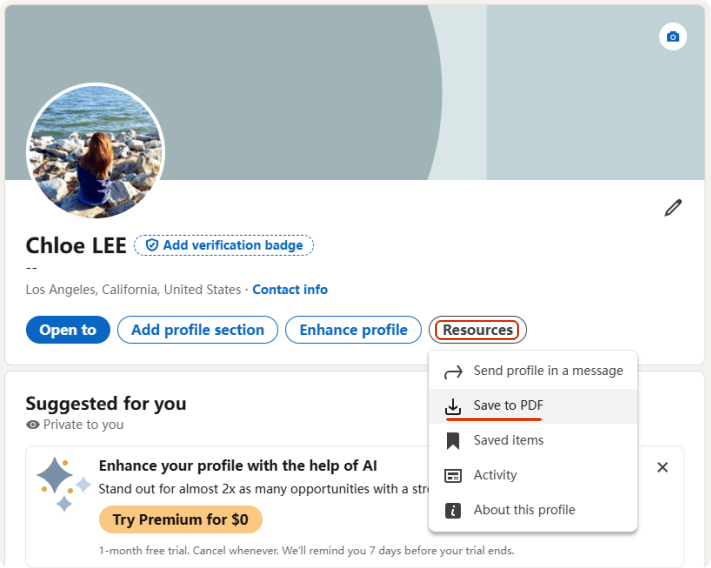
Find “Resources > Save to PDF” to save your whole profile into your device.
Disclaimer
The methods in this article are for personal use only. Before downloading, you must comply with copyright laws and obtain permission from the owner for protected content. The author is absolutely against the downloading of unauthorized video/audio files or using them for commercial gain.

Chloe LEE is good at explaining and solving complex technology problems to her readers. Since joining iFunia Studio, she has focused on writing articles about video and DVD software, and how-to tutorials.
Comments (0)
Leave a Reply