


Download YouTube Videos With Subtitles/Captions [Latest and Effective Ways]




You have downloaded some YouTube videos and plan to watch them to pass the leisurely time. However, you find the downloaded YouTube videos don’t have subtitles, which spoils the fun to some extent.
Yes, we know how it feels, especially regarding the fun fact that "on mobile, 92% of viewers watch videos with the sound off."
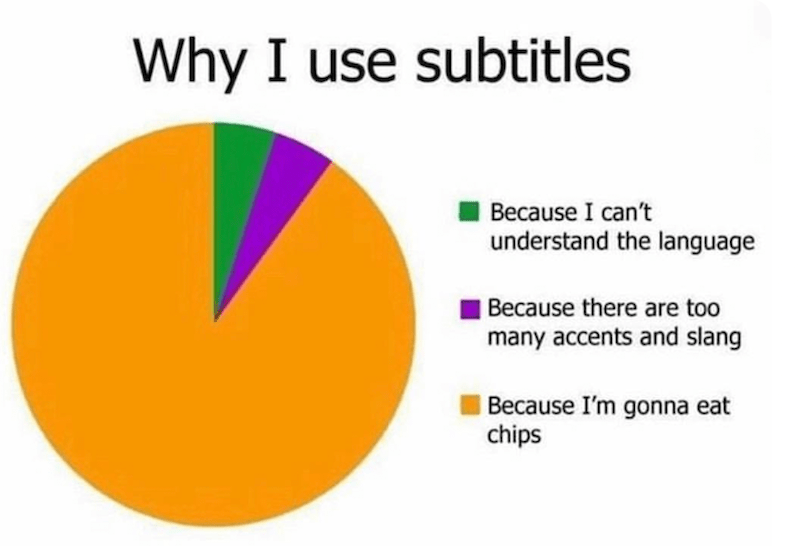
So, subtitles and captions are a must in any video content these days. For a movie buff, downloading YouTube videos with subtitles now becomes your survival skill.
 iFunia YouTube Downloader
Best YouTube Video and Subtitle Downloader
- Download YouTube videos with subtitles in desired language
- Bulk download YouTube videos/playlists/channels/search results, etc., in one go.
- Downloading videos from Vimeo, TikTok, Twitter, Instagram, and 1000+ video-sharing websites.
- Download videos in 1080p, 4K, 8K, etc.
- Download private, unlisted, blocked, and age-restricted videos.
- Add a YouTube URL and get YouTube videos and subtitles at the same time.
 Free Download Windows 10 or later
 Free Download macOS 10.13 or later
Part 1: Method to Download YouTube Videos with Subtitles in One Go
Method 1: iFunia Free YouTube Downloader
First, we’d like to introduce the easiest and most effective method: you only need to copy the URL of the YouTube video and paste it into iFunia Free YouTube Downloader, and then you can download both the video and subtitles of the video and have them saved in the same folder.
iFunia Free YouTube Downloader is a powerful video downloader that supports 1,000+ sites, including YouTube, Twitter, TikTok, Facebook, Instagram, etc. It works with all types of YouTube videos, no matter if they are blocked, private, age-restricted, unlisted, search results, playlists, or channels.
For subtitles, this tool grants users the ability to download YouTube videos with subtitles embedded in different languages such as English, Chinese, Portuguese, etc. You can choose to download subtitles in VTT, TTML, JSON3, and the raw format (.srv1, .srv2, .srv3).
Videos will be downloaded in original quality up to 1080p, 4K, and 8K. For video format you can choose MP4, MP3, FLV, MKV, WebM, etc.
- Download iFunia YouTube Downloader and install it on your computer.
- Go to http://youtube.com and copy the URL of the YouTube video.
- Paste the link to the blank bar of the program and click the “+” button to add the URL. With full CPU acceleration, you can add multiple videos or a whole video playlist and then download it in one go.
![]()
- When a video is listed, choose a video quality and format from the “Format” menu.
![]()
- Under the “Subtitle” menu, select the needed language and subtitle format.
![]()
- Set the location to save the downloaded video and subtitle files, then click "Start" to begin downloading YouTube videos offline.
- When the download is finished, click "Open in Finder" to quickly locate the downloaded video and subtitle; they will be saved in the same folder.
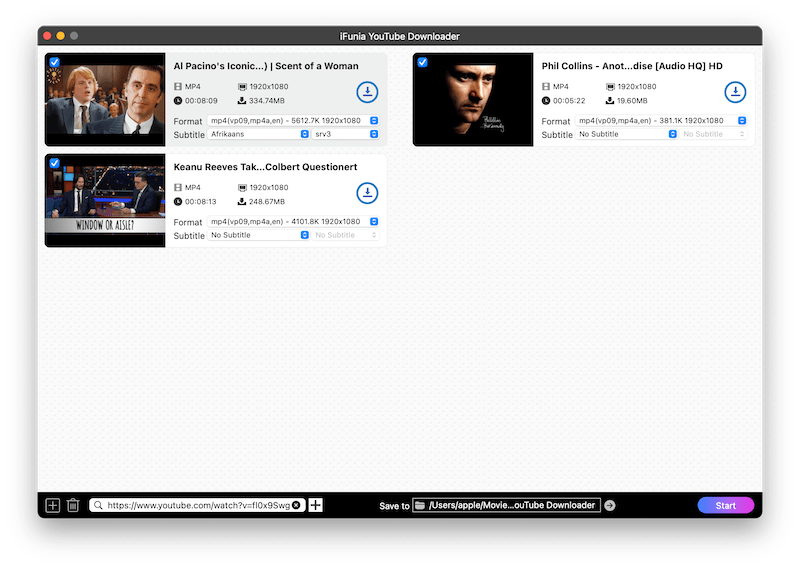
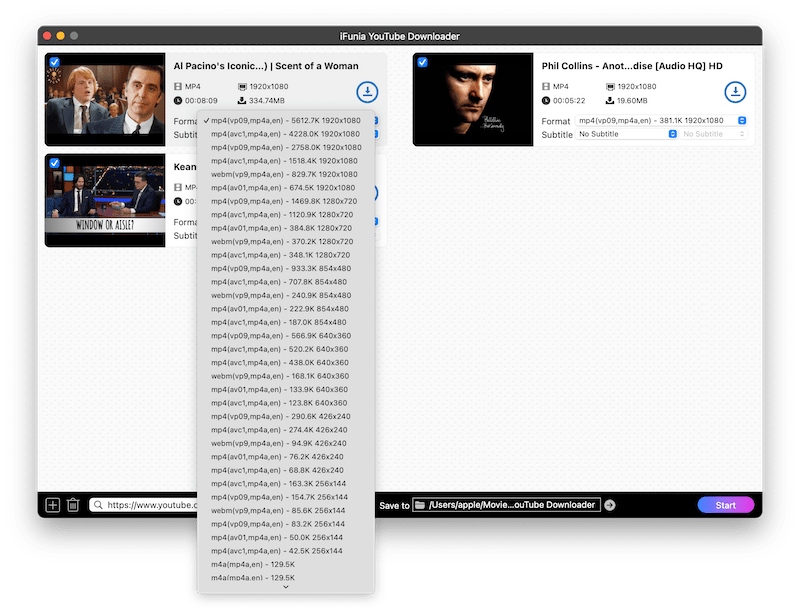
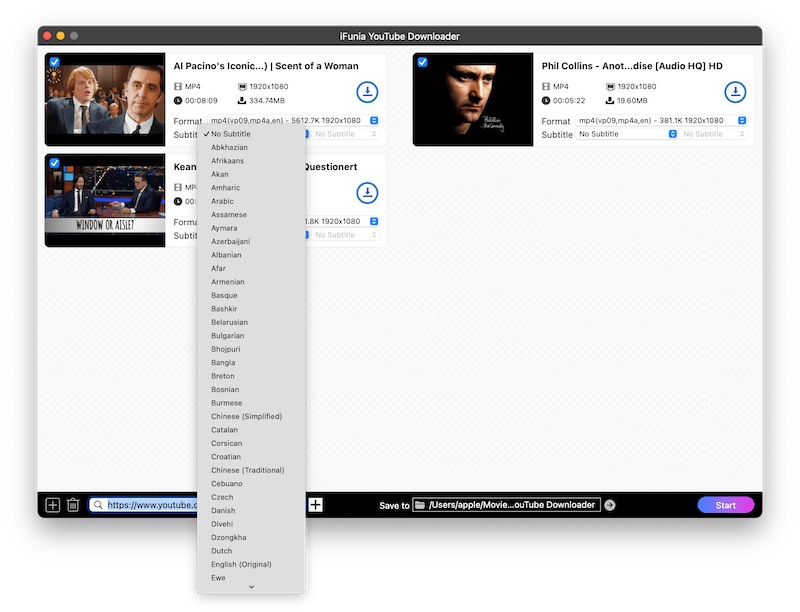
Method 2: 9XBuddy
Don't want to download and install extra apps? If so, there is an online site that supports both downloading videos and subtitles from YouTube. You just need to add the video URL and make some clicks.
Here is how to download video with subtitles from YouTube Online
- Copy the URL of the YouTube video you desire to download.
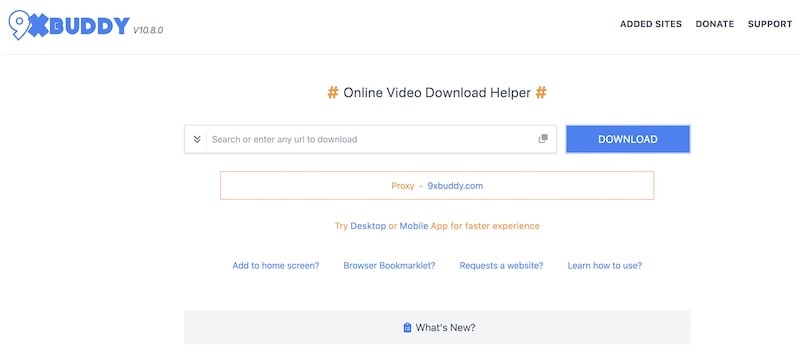
- Visit https://9xbuddy.online/ in your browser, and paste the copied link into the blank field.
![]()
- Click “Download” to proceed.
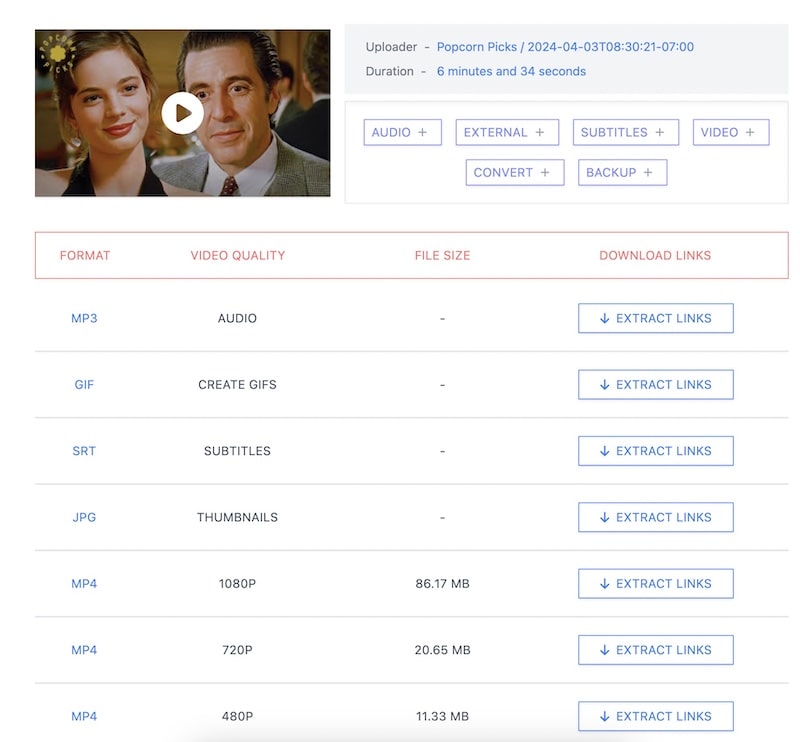
- The site will analyze the video and list all downloadable assets. See, you can download music, images, videos, and subtitles with this online site.
![]()
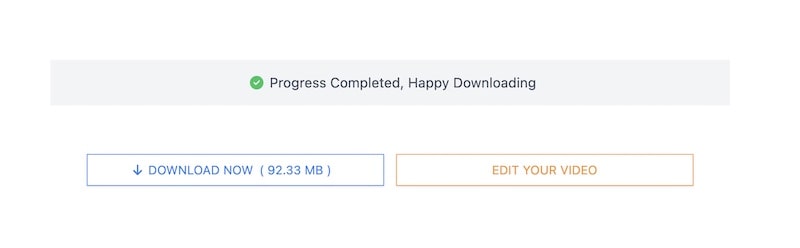
- Choose the video and subtitle you want to download, and click the extract links for each download. This will lead you to the real download page; you just need to click "Download Now" to save the video or subtitle offline.
![]()
Method 3: Extension that supports downloading Both the video and subtile
In most of our guides, we introduced using the Addoncrop YouTube Video Downloader extension to download YouTube videos; now, to add to that, this extension also supports downloading subtitles from YouTube videos.
Here is how:
- Chrome doesn’t allow YouTube video downloading, so instead of the Chrome Web Store, you need to visit https://addoncrop.com/v26/youtube-downloader/ to add the extension to your web browser. Just follow the steps on their site to download and install the extension.
- Go to http://youtube.com and play the video you want to download.
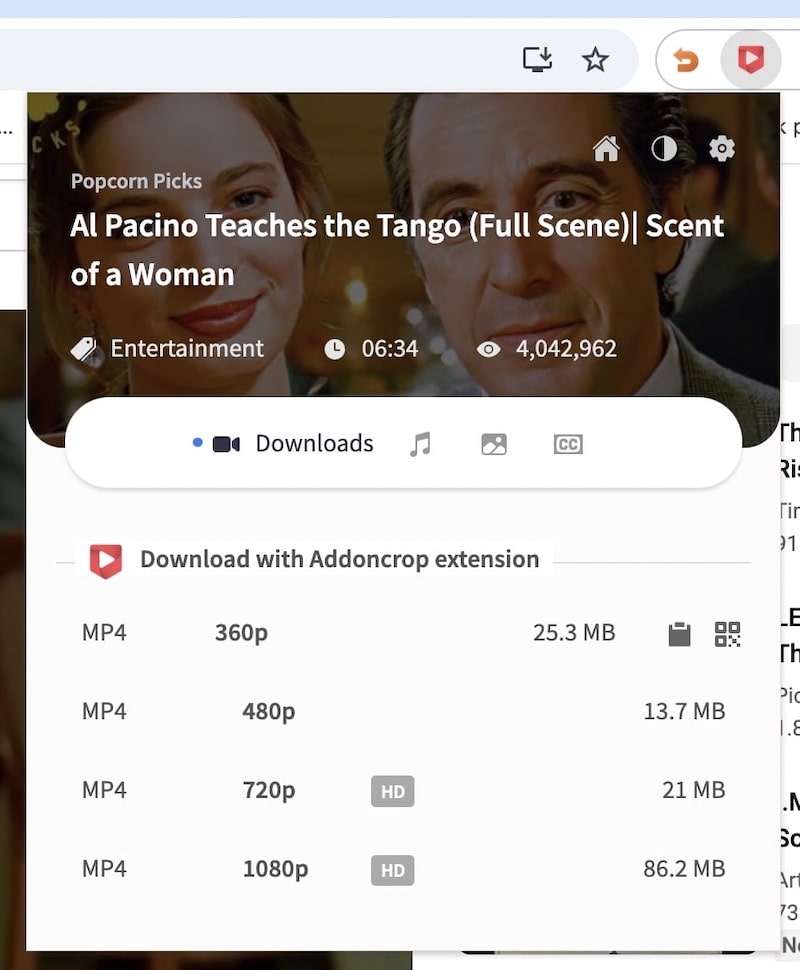
- This extension will detect the playing video in your browser, and you just need to click on the extension icon in the top right of the toolbar.
- Just choose a resolution you like and click to download the video.
![]()
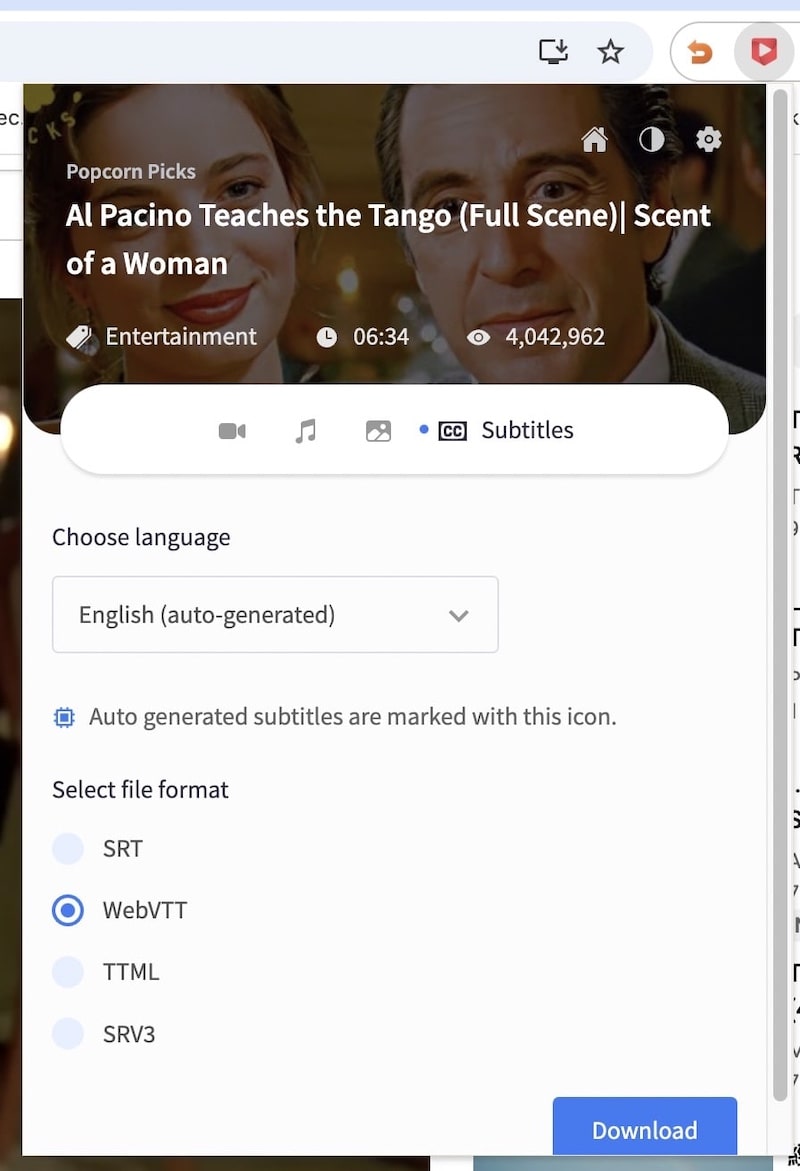
- Then click on the "CC" option; it will show you the subtitles available to download. Choose a subtitle format and click Download to save it offline.
![]()
Part 2: Methods that Download YouTube Video and Subtitle Separately
Resource for Downloading Subtitle from YouTube
There are also many sites on the Internet that offer the function to download YouTube subtitles in multiple formats. They all come with almost the same interface and steps. Besides YouTube, most of the sites also support downloading subtitles from Vimeo, Instagram, Facebook, VIU, Viki, etc. Here is a list of the most popular YouTube subtitle download websites.
- https://downsub.com/
- https://savesubs.com/
- https://views4you.com/tools/youtube-subtitles-downloader/
- https://www.downloadyoutubesubtitles.com/
Steps on how to download subtitles from YouTube:
Let’s show how to download YouTube subtitles on https://downsub.com/. The steps also apply to other websites.
- Open the YouTube video for which you want to download the subtitles and copy its link.
- Open https://downsub.com/, paste the copied link in the provided box, and click on the "Download" button.
![]()
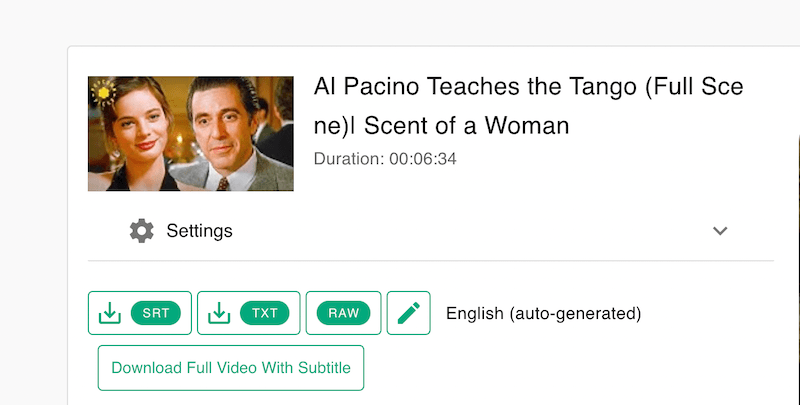
- The results will be displayed under it. Choose the subtitle in the desired language or title, and click Download. The program will start downloading the subtitles, and the file will save automatically to your PC in your chosen format.
![]()

Resource for Downloading Videos from YouTube
Now we get the subtitles of the videos; it's time to get the videos too. For YouTube video downloading, there are so many sites to choose from; here are just a few for you to use.
- https://www.clipconverter.cc/
- https://catchvideo.net/
- https://www.y2mate.com/
- https://ummy.net/
Just like subtile, all these video downloader sites work the same; here we take ummy as an example.
- Copy the URL of the YouTube video.
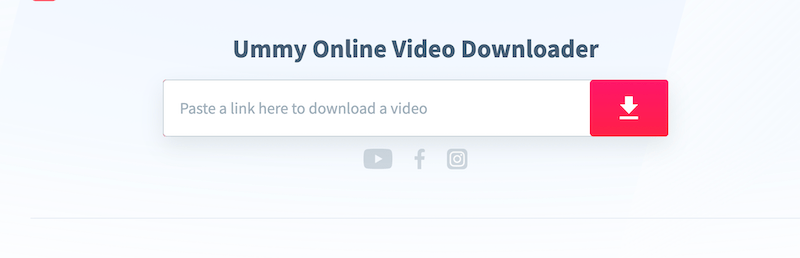
- Open the online sites and paste the URL into the blank box.
![]()
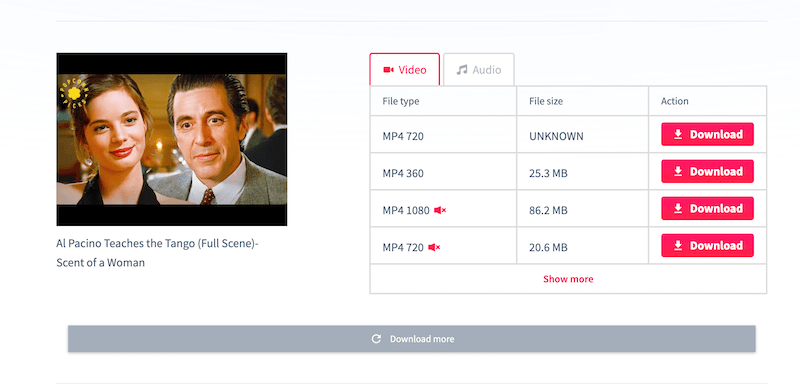
- Then choose the resolution and format.
![]()
Part 3: Download Your Own Video with Subtitles
- If you want to download your own video and the subtitles, YouTube Studio makes this incredibly easy.
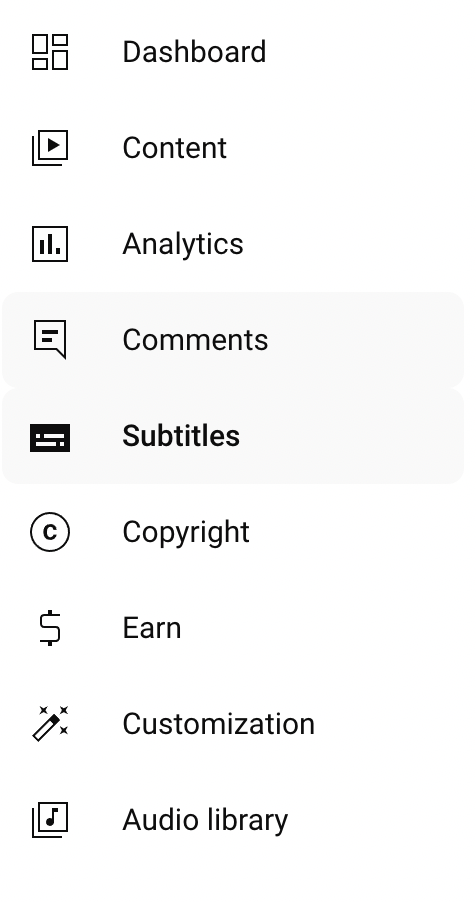
- Go to your "YouTube Studio," and click "Subtitles" from the left menu.
![]()
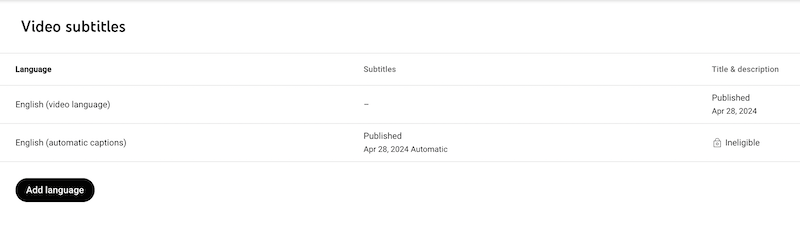
- Select the video you need to download. It will show you all the available subtitles on a new page.
![]()
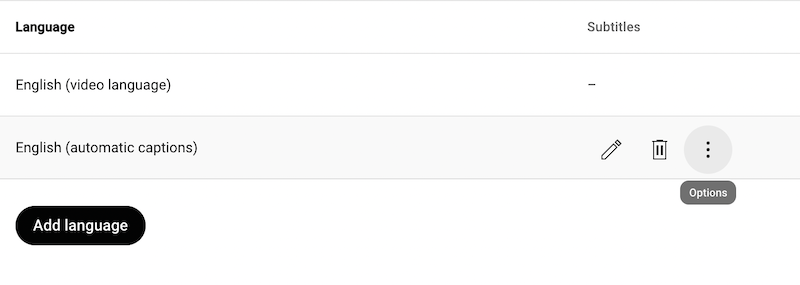
- Choose the language you need, then hover your mouse over "Published" and click the three dots icon on the right.
![]()
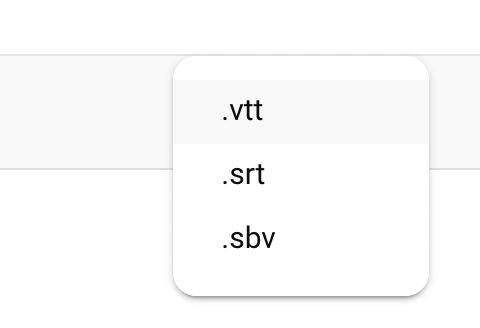
- Click "Download," and it will offer you the available subtitle format for the video. If you are not sure which format to choose, .srt is what we recommend.
![]()
Part 4: Play Your Video with Subtitles
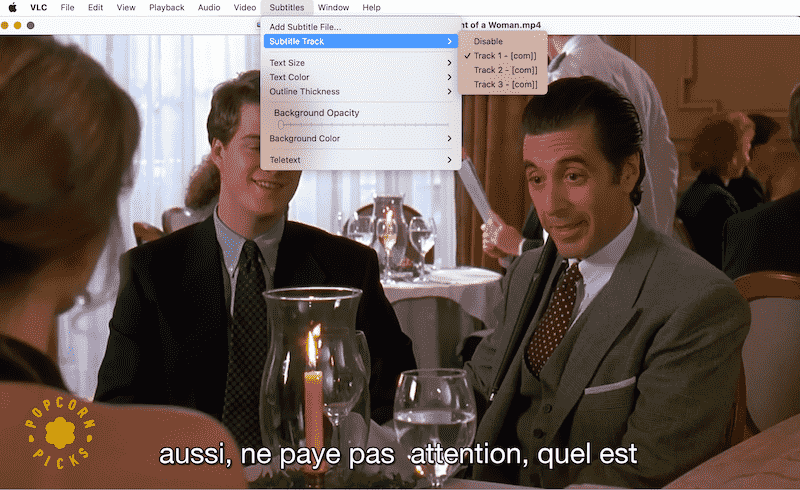
If you wonder how to play downloaded YouTube videos with subtitles, here is how.
- Put the downloaded video and subtitle file in the same folder.
- Use your default video player, like QuickTime, to play the video.
- Enable the subtitle feature if the subtitle track is not showing.
- In QuickTime Player, choose View>Subtitles in the menu.
- In VLC: Choose Subtitles > Subtitle Track.
![]()
FAQs
Can I download subtitles in different languages?
Yes! All the tools and sites we introduce above support downloading videos with subtitles in different languages if they are available.
Is it legal to download YouTube subtitles?
Well, if you only download the video for personal use and never use it for distribution or reuse, it is generally legal.
Which subtitle format should I choose?
YouTube supports users uploading subtitle files in various formats, including SRT (SubRip Subtitle), VTT (Web Video Text Tracks), and SBV (SubViewer). Each format has its own structure and can be easily synchronized with videos.
- SRT: The most widely used subtitle format, it can be played with any device and platform.
- VTT: Similar to the SRT format, but add support for metadata, styling, and cues for web-based playback.
Can I also download a whole YouTube playlist with subtitles?
Yes, tools like iFunia Free YouTube Downloader also support downloading a whole playlist in one go. You just need to copy the URL of the whole playlist and click the download button.
Benefit of downloading YouTube video with subtitles
- You can easily learn a foreign language and increase your listening skills.
- Get a better understanding of the movie.
- Make content accessible to the hard-of-hearing community.
- Understanding videos in non-native languages.
- Assist content unclear due to accent, background noise, or low volume.
- Facilitate multitasking.
Summary
Downloading videos with subtitles/captions from YouTube opens up a whole new world of accessibility for offline enjoyment. Whether using YouTube’s official method, online websites, browser extensions, or offline programs, you have a whole bunch of methods to choose from.
iFunia Free YouTube Downloader is what we recommend as the all-in-one solution; it even doubles as a YouTube to MP4 converter or YouTube music downloader. With it, you avoid the hassle of separately downloading video files and subtitles. And you can use it to download videos from sites like Facebook, Twitter, TikTok, Instagram, Vimeo, etc. Just download and have a try now!
Free Download Windows 10 or later Free Download macOS 10.13 or later
Disclaimer
The methods in this article are for personal use only. Before downloading, you must comply with copyright laws and obtain permission from the owner for protected content. The author is absolutely against the downloading of unauthorized video/audio files or using them for commercial gain.

Chloe LEE is good at explaining and solving complex technology problems to her readers. Since joining iFunia Studio, she has focused on writing articles about video and DVD software, and how-to tutorials.
Comments (0)
Leave a Reply