


4 Proven Ways to Download HDPiano Videos in High Quality




HDPiano makes the bold claim of “learn piano without reading sheet music.”
This online piano learning platform offers piano lessons for all levels. Follow the video lessons, and you’ll learn in a structured way that helps you progress rapidly.
However, for those looking to save and download HDPiano videos offline, the process may not always be straightforward. In this article, we will explore all the available methods for downloading HDPiano videos. From online tools and browser extensions to dedicated video downloaders. Stay tuned.
 iFunia YouTube Downloader
Best HDPiano Video Downloader for Mac and Window
- Download videos from HDPiano, YouTube, TikTok, Instagram, BitChute, Pinterest, and other 1000+ websites.
- Batch Download: Allows downloading multiple videos at once.
- Download YouTube age-restricted videos, blocked videos, private or unlisted videos, playlists, and channels.
- Save video in 1080P, 4K, 5K, 8K or higher quality.
- Save videos as the most popular MP4, WEBM, MP3, etc.
- Batch download videos 6X faster speed.
- 6x times faster download speed.
- No plugs or ads.
- Safe and easy to use.
 Free Download Windows 10 or later
 Free Download macOS 10.13 or later
Why Do People Want To Download Videos From HDPiano?
Downloading HDPiano videos can be useful in a variety of ways. Some may want to watch the video and learn offline, while others may want to save the video for backup purposes.
1. Offline Viewing
After downloading piano videos offline, you can watch it even if you don’t have a stable internet connection. And you can play the videos on any device you want.
2. Backup
Having a backup of your essential videos ensures you have access to it anytime you need, and you will not lose the valuable content in case the video gets deleted or the platform faces issues.
3. Analysis
After downloading the videos, you can use certain players to analyze and better learn at your own speed.
Consideration Of Ethical Values
HDPiano's terms of service prohibit downloading videos without explicit permission from the content creator. Always respect copyright laws and the intellectual property rights of the content creators. Only download the video for offline personal use or backup, never redistribute and monetize the content without permission.
Also, please be aware of the following:
- Some HDPiano videos are not free for download without a purchase or subscription.
- Be cautious using online video downloaders; some are fake sites or only offer low-quality downloads.
- Be sure to check the video length after downloading; some tools may only download part of the video.
Official Options For Downloading HDPiano Videos
Some videos on HDPiano’s official site or their YouTube channel come with a download option. In this case, you can download videos straight from the site or their YouTube page.
Official HDPiano Website:
- Go to the official site of HDPiano http://www.hdpiano.com/
- Open the piano lessons or songs you want to download.
- If the uploader has activated the download feature, you can find a "Purchase" or "Download" button beneath the video player.
- Choose a download options you like (audio only, sheet music, or both).
- Enter your payment information and complete the transaction.
- You'll then get the download in the email.
HDPiano YouTube Channels:
- Open HDPiano YouTube channel on your browser.
- Find the piano video you want to download.
- Click the "Download" button beneath the video player and choose the desired quality and format.
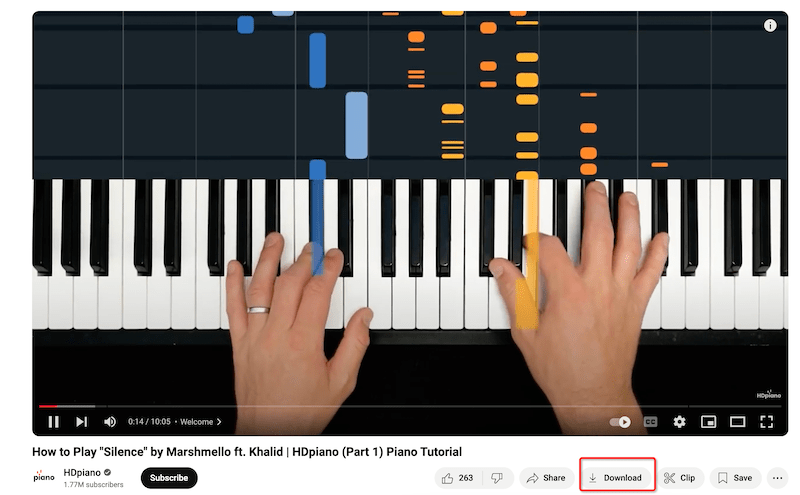
Download HDPiano Videos on Windows and Mac
If the HDPiano video you want to download doesn’t offer a download option, you can use third-party software to download the piano videos offline.
iFunia Free Video Downloader provides a comprehensive solution for downloading online videos from HDPiano, YouTube, Facebook, Instagram, TikTok, and over 1000 websites. It is compatible with Windows and Mac desktops. There is no quality loss during the download; you can download videos of any length. It supports downloading video playlists, channels, private videos, etc., in one go. It also offers functions like downloading in original format, quality, downloading with subtitles, and more. All downloads are hassle-free, without any ads or watermarks.
Here's how to use iFunia Free Video Downloader to download HDPiano videos:
1. Download and install iFunia Free YouTube Downloader
The first step of the process is to download and install iFunia Free YouTube Downloader on your computer. It supports Windows 7/8/10/11 and macOS 10.10 and higher.
2. Open a video on HDPiano and copy its URL
Go to HDPiano, find the video you want to download, and open it. Copy its URL from your browser's address bar.
3. Open iFunia Free YouTube Downloader and paste the copied URL
Open iFunia Free YouTube Downloader on your PC. Paste the link into the text box at the bottom of the program. iFunia Free YouTube Downloader will automatically begin to search for the video.
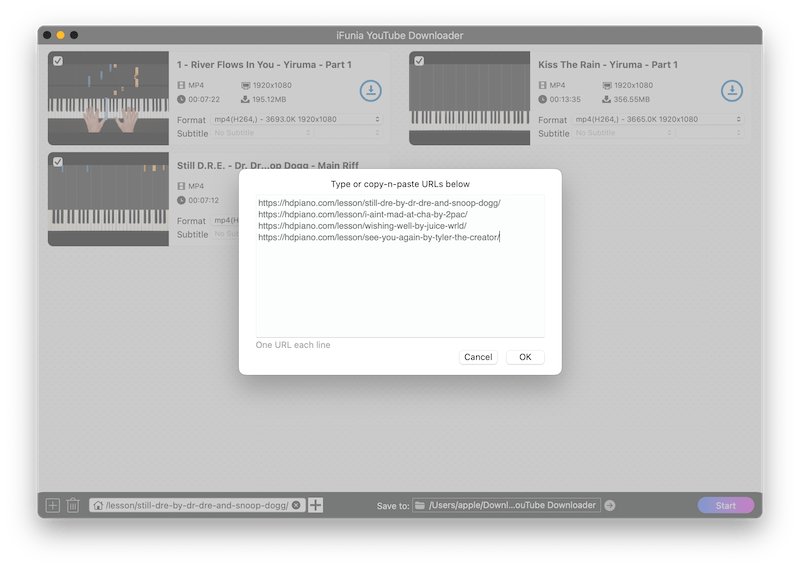
4. Select output format, quality and subtitle
Within a few seconds, iFunia Free YouTube Downloader will list all the added videos and show the available output formats and quality. Choose the video quality and format you prefer; you can select MP4 for playing on all devices or MP3 to save only the audio. Then, specify the output destination. '
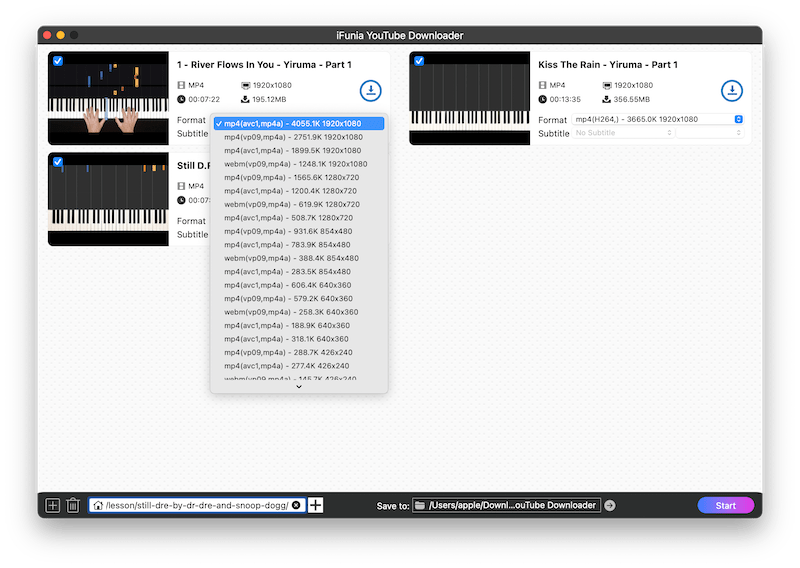
5. Click the Download button
Now click the Download button to begin downloading the HDPiano video to your computer. You can locate the downloaded video by clicking on the open icon.
How to Download HDPiano Videos Online
Online downloaders are web-based services that allow you to download videos without installing any software. They are convenient and easy to use.
Alternatively, you can also online websites to free download HDPiano videos. With Online site you don’t need to download any software, but you have to download HDPiano videos one by one. However, Before using any online sites, ensure you understand their terms and conditions, as well as any potential risks or limitations.
HDPiano videos comes with url like a blob video, which many online sites don’t support to download, in our test, TUBENINJA can successfully parses out HDPiano videos, and download the video or just the audio.
Steps:
- Open a browser, and visit https://www.tubeninja.net/welcome
- Switch to HDPiano site, find the video, and copy the URL of the video you wish to download.
- Paste the URL into the input field on TUBENINJA and click on the download button.
![]()
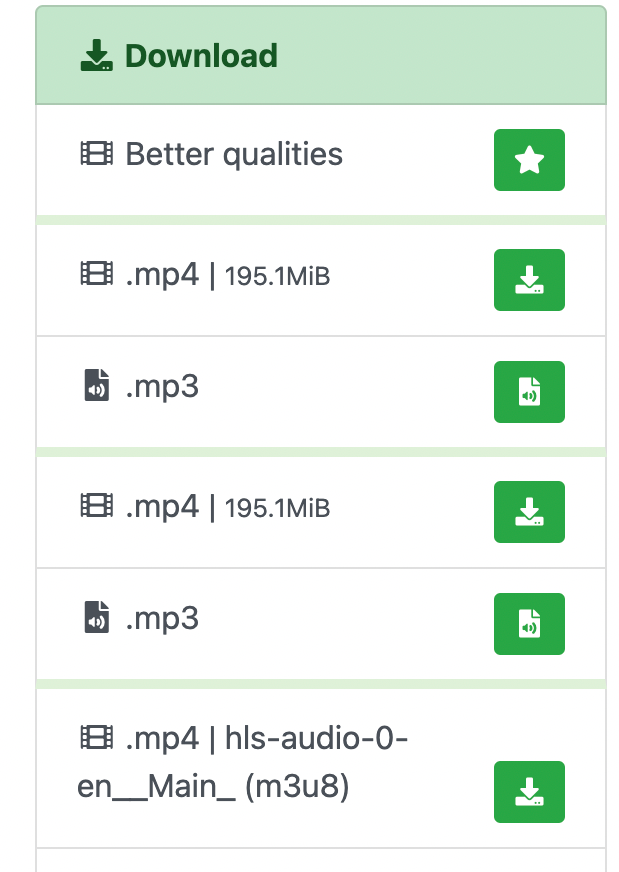
- Wait a while, then it will show you the download options with basic information of the file sizes. Click on the green download button.
![]()
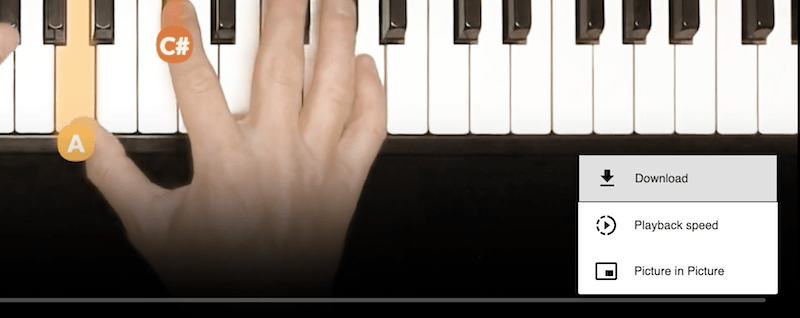
- It will open the video in a new tab, click the three dot icon on the low right corner, and then click download to save the video offline.
![]()

Using Browser Extensions To Get HDPiano Video Downloaded
As we can play HDPiano videos successfully, we can also use browser extensions to download the videos.
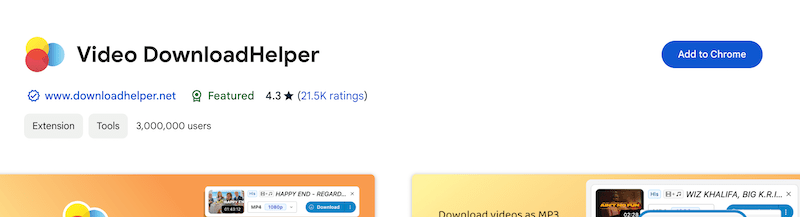
Video DownloadHelper is a very popular video downloader extension available on both Chrome and Firefox. In our test, it also supports downloading HDPiano videos.
Steps:
- Install Extension: Install Video DownloadHelper from the Chrome Web Store or Firefox Add-ons and pin the tool icon on the top menu bar.
![]()
- Go to the HDPiano website and play the video that you want to save offline.
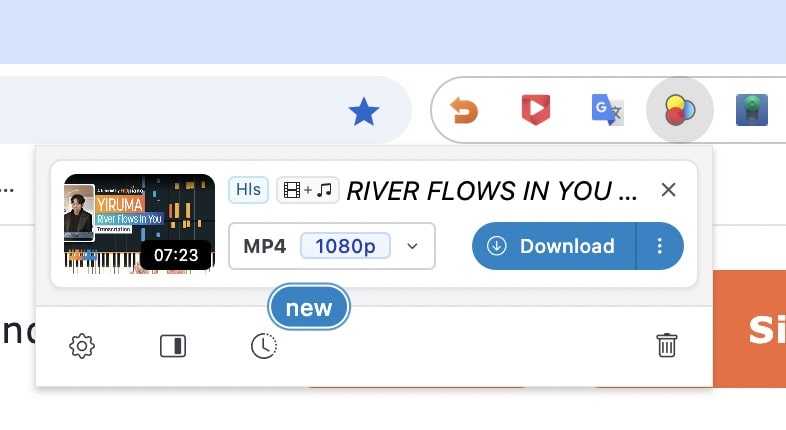
- Click the Video DownloadHelper icon on your browser’s toolbar.
![]()
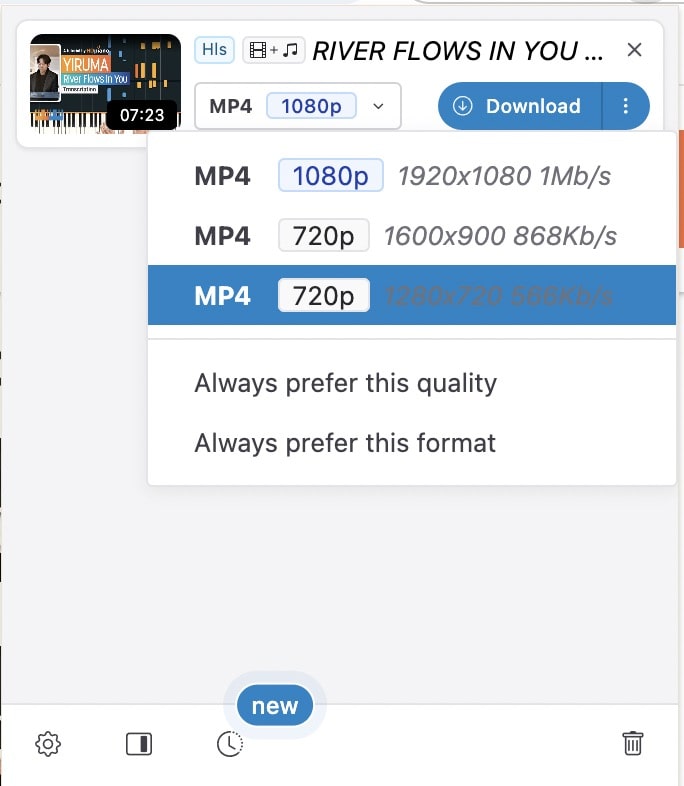
- Select the video quality you’d like to get, and click the download button.
![]()
Download from HDPiano on Mobile Devices
On Android & iPhone - Using Blackhole App:
- Search and download the Blackhole app from Google Play or the App Store and install it on your device.
![]()
- Open the HDPiano site and find the video you want to download, then copy the URL.
![]()
- Open the Blackhole app and tap the black disc in the middle of the app.
![]()
- It will start downloading the video and show you the progress.
![]()
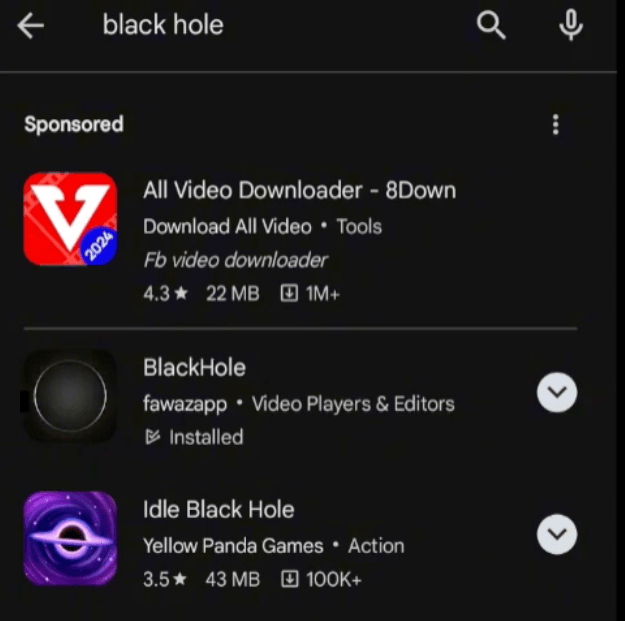
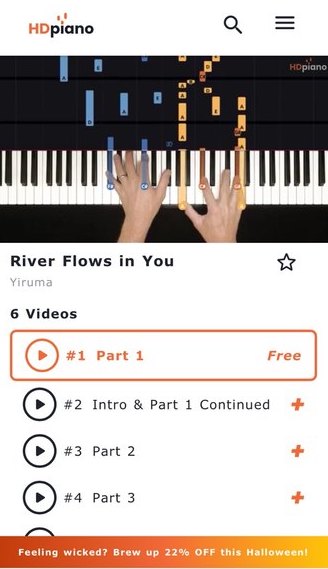
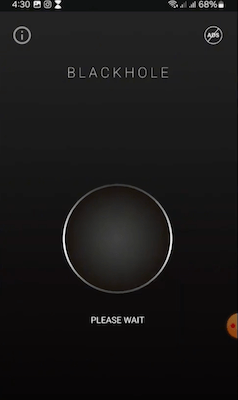
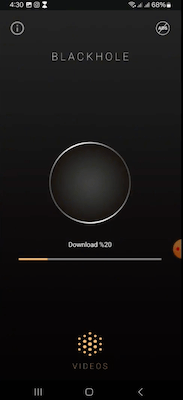
Practices And Tips For Downloading HDPiano Videos
Respect Copyright
Always ensure you have permission to download the video, use it for personal learning, never repurpose or redistribute it.
Video Output Quality
If you find the quality of the downloaded video is low, please make sure that you have select the highest available quality before downloading, or you can try a different downloader listed above.
Keep Software Updated
Video sharing site change it mechanism of video sharing regularly, to make sure successful download, please do update your software or extensions when an new version is available.
Download Playlist
If you want to download a whole playlist in one go, you can using iFunia video download and just paste the playlist’s URL to it.
Video Unavailable
If you find some videos are unavailable on the official site of HDPiano, you can try search the video on YouTube or other media sites like Vimeo, spotify or Google Play Music.
Conclusion
By understanding the ethical considerations, using the most suitable app, and following the steps above, you can easily get the videos or video playlist from HDPiano.
Whether you opt to download from the official site or YouTube channel, you can have a try with the listed third-party software, browser extensions, online downloaders, or mobile app. Each method has its own set of advantages.
After brief testing, I was attracted by the fluent user experience of iFunia YouTube Download. It is the only tool that supports downloading videos and playlists from the HDPiano official site and the YouTube channel. Also, it works fine with my retina display.
In contrast, online sites, extensions, and mobile apps can only download one video at a time. And YDL, which is recommended by most of the forums, only downloads part of the video and looks like it came from last century.
Try iFunia free video downloader to discover how it helps you download HDPiano or other videos in seconds. Just click the button below to download the latest version.
Free Download Windows 10 or later Free Download macOS 10.13 or later

Chloe LEE is good at explaining and solving complex technology problems to her readers. Since joining iFunia Studio, she has focused on writing articles about video and DVD software, and how-to tutorials.
Comments (0)
Leave a Reply