


Top 5 Best Free Dailymotion Downloaders Tools




Dailymotion has grown into one of the largest video sharing websites since 2005. People like Dailymotion, because they can find various videos in different topics and categories including music, news, movies there. To better enjoy the videos offline, nowadays more and more people choose to download them. Hence, Dailymotion downloader software and online tools are becoming useful. This post will show you 5 best Dailymotion video Downloaders. Read on for more.
- Benifits to download Dailymotion video
- Download video from Dailymition using iFunnia YouTube Downloader
- Download video from Dailymition using KeepVid
- Download video from Dailymition using Dailymotion Video Downloader
- Download video from Dailymition using Video Downloader Prime
- Download video from Dailymition using Clip Converter
 iFunia YouTube Downloader
Best Dailymotion Video Downloader for Mac and Windows
- Support batch downloading Dailymotion videos in a few clicks
- Can automatically detect and paste the copied URL
- Permit to download videos from other 1000+ streaming sites, like YouTube, Instagram, etc.
- Support downloading playlists at once
- Download videos quickly without quality loss
- Can download videos in high quality up to HD 1080P, 4K or higher resolution that the video offers
- Offer video and audio-only options with various quality options to choose
- Can convert the downloaded videos to 400+ video and audio formats
- Can also rip encrypted DVDs
 Free Download Windows 10 or later
  Free Download macOS 10.13 or later
Benefits to Download Dailymotion Video
Downloading videos and movies from Dailymotion to computer, smartphone and other mobile devices has become a common practice. And there are good reasons to use Dailymotion downloader.
Offline Playback
Once you download videos from Dailymotion, you can watch them offline whenever and wherever you want to. There is no need for internet access at all.
Get Rid of Ads
Many people are asking the question of how to block Dailymotion video ads. The solution is simple. Dailymotion video downloader will automatically remove the ad when it downloads videos.
No Need to Wait for Buffering
Buffering is inevitable when you watch movies or videos online. If the internet connection is slow, you will have to put up with constant buffering. By watching downloaded videos, you can enjoy a great watching experience without any interruption.
Best Free Dailymotion Downloader Tools
1. iFunia Free YouTube Downloader
iFunia YouTube Downloader can download individual videos as well as entire playlists from Dailymotion, YouTube, Vimeo, MySpace, Spotify and 1000+ other websites. It supports various output video/audio formats including MP4, MP3, WebM and more. What's more, it also enables users to download videos in HD 720P, Full HD 1080P, 4K or higher. Below is a brief guide on how to use the app as a Dailymotion downloader.
Step 1. Add Dailymotion Video URL to the App
Before getting started, you need to download and install iFunia YouTube Downloader on your computer. It offers both Mac and Windows version, so you can choose one that suits your computer.
Free Download Windows 10 or later Free Download macOS 10.13 or later
After the installation is finished, open the app and go to Dailymotion. Search for the video that you like. Copy and paste its URL into the URL field of the program.
To download multiple videos in bulk, you only need to go to File > Input URLs and add all the URLs, one for each line.
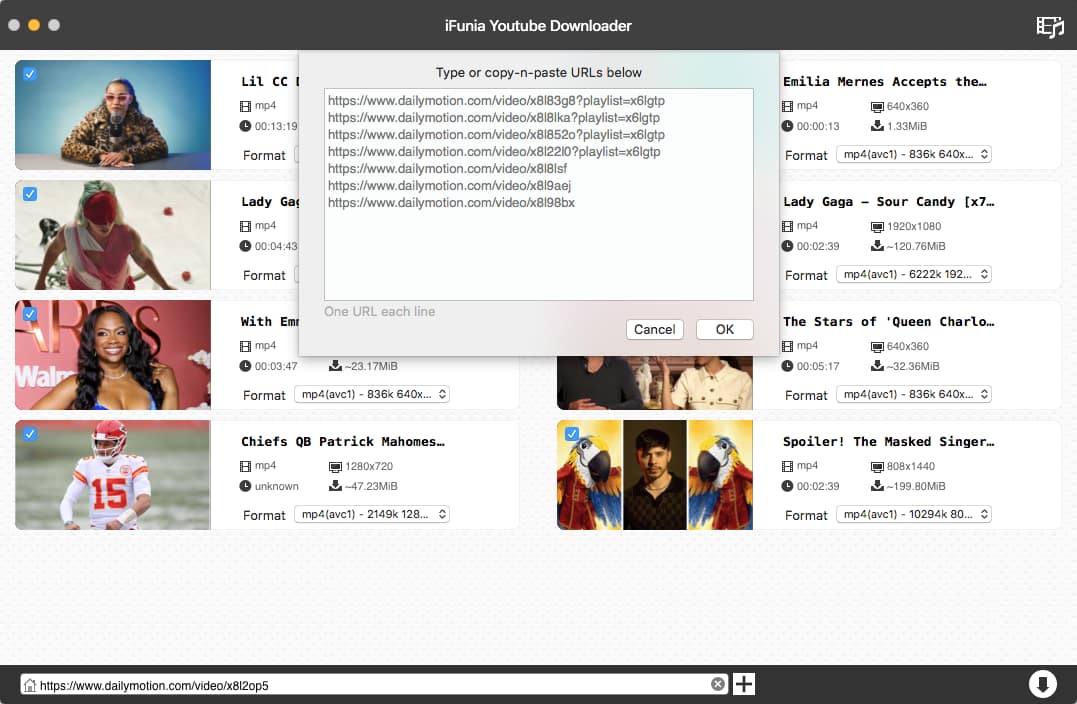
Step 2. Start the Download
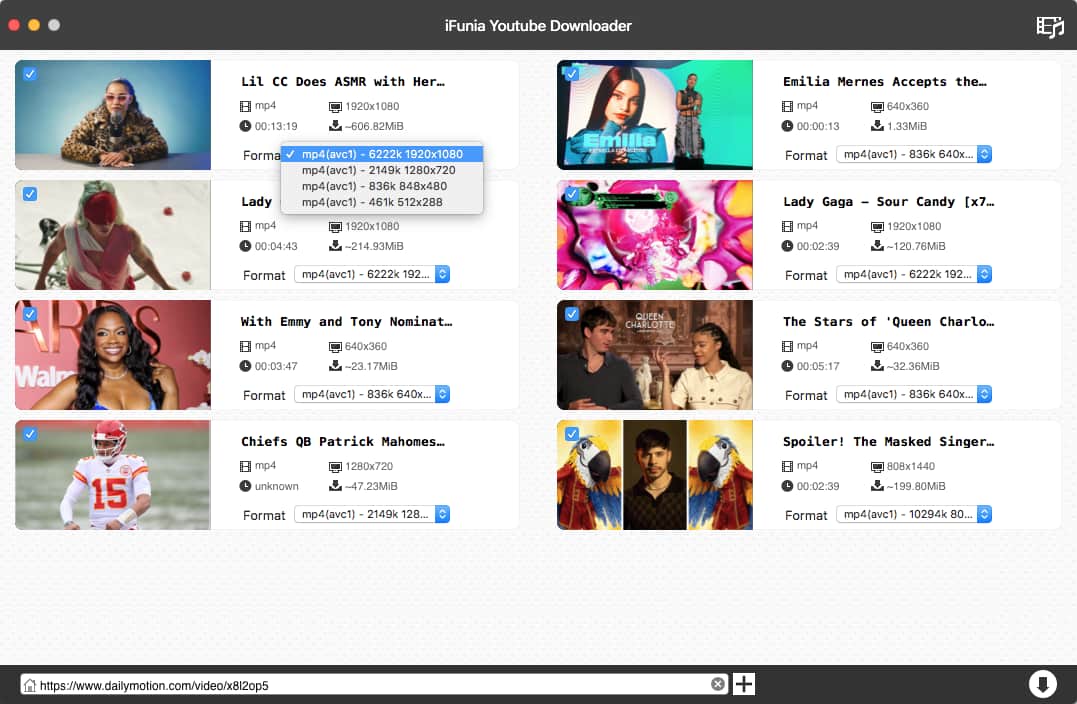
In the Format field, there is a drop-down menu listing all the output formats and video qualities available for downloading. After selecting the desired choice, you just click the download button (which is an arrow down icon ↓). After the download is completed, you can click the folder icon to view the downloaded file.
Pros:
- Download Dailymotion video without quality loss
- Support Dailymotion, YouTube, Vimeo and 1000+ other sites
- Download songs and playlists from SoundCloud and Spotify to MP3 and other audio formats
- Support batch download
- Support downloading playlist from Dailymotion, YouTube, Spotify, etc
- Download videos to various video and audio formats
- Download video to audio directly
- Download videos in HD 1080P, 4K or higher
- Easy to use
- Available on Mac and Windows
Cons:
- The free version is limited to downloaded 3 videos
2. KeepVid
KeepVid is a software application to download online FLV videos from Dailymotion, YouTube and many other video sharing websites. It’s easy to use. Here’s how it works as a Dailymotion downloader.
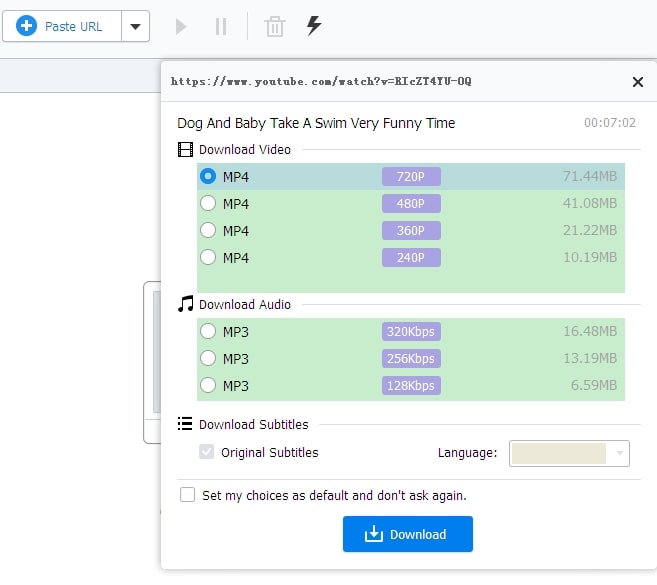
Step 1. Install KeepVid on your computer. Find your favorite video on Dailymotion and copy its URL. Open the software and click the Paste URL button. The software will start analyzing the video URL, and it will take a while.
Step 2. After the analyzing is finished, you can choose video quality. Once you click the Download button, the download will start. By clicking the Downloaded button, you can view the downloaded file.
Pros:
- Easy to use
- Download videos from Dailymotion, YouTube and other sites
- Support downloading HD videos
- Support batch download
- Download video to audio
Cons:
- Only offer two output formats: MP4 and MP3
-
Take relatively long time to analyze video URL
3. Dailymotion Video Downloader
This Dailymotion downloader is a Chrome extension which is easy and convenient to use. It is rated 4.3 out of 5 at Chrome Web Store.
Step 1. After you add the extension to your Chrome, the extension will add an icon on your Chrome toolbar.
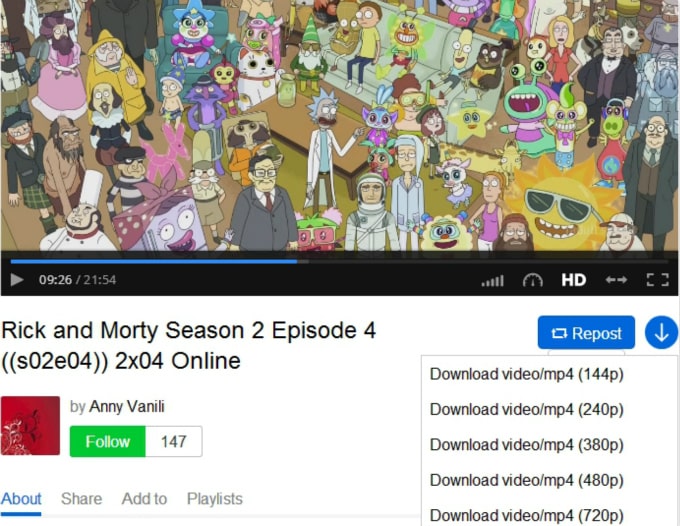
Step 2. Go to Dailymotion and search for the video you’d like to save. Open the video, and you will find a blue colored arrow down icon on the right of the Repost button. Click the icon, and it will list the different video qualities that are available for downloading. Please note that MP4 is the only output format available. Click the video quality that you need, and the download will start immediately.
Pros:
- Easy to use
-
Allow users to download Dailymotion videos without any software
Cons:
- Only provide MP4 as the output format
- Can’t download video to audio
- Don’t support batch download
-
Only support Dailymotion
4. Video Downloader Prime
Video Downloader Prime is a Firefox extension. If you use Firefox, then this extension is a good choice.
Step 1 Add Video Downloader Prime to your Firefox. You will find its icon on the Firefox toolbar.
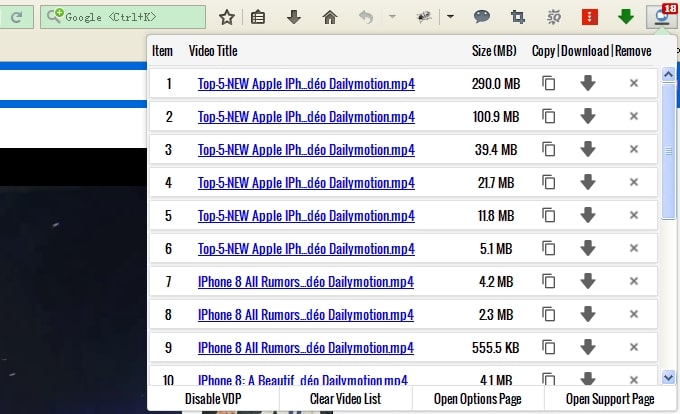
Step 2 Open a Dailymotion video or movie that you like, and click the tool’s icon on the toolbar. There will be a list of all video sizes available for download. The better quality the video has, the bigger the video size is.
Pros:
- Easy to use
- Download Dailymotion videos without any software
-
Support Dailymotion and YouTube
Cons:
- Only provide MP4 as the output format
- Can’t download video to audio
- Don’t support batch download
5. Clip Converter
Clip Converter is an online Dailymotion downloader to save videos from Dailymotion, YouTube, Vimeo, etc to your computer. It only takes a few steps to download videos from Dailymotion.
Step 1. Go to clipconverter.cc. Open a Dailymotion video and copy its URL. Paste it at Clip Converter’s URL box.
Step 2. There will be a list of the output formats (video and audio) and video resolutions available for downloading. Click the checkbox to select your choice and then click the Start button. The tool will start the downloading process.
Pros:
- Handy to use
- Download videos without any software
- Support Dailymotion, YouTube and other sites
- Support various output formats
-
Download video to audio
Cons:
- Don't support batch download
- Deliver pop-up ads
Conclusion
Above are the best Dailymotion downloader software and online tools. If you need to download educational lectures, TV series, or anime shows, etc. on this website, the batch download function will be very helpful. Therefore, it's recommended to use software like iFunia YouTube Downloader or KeepVid.
If you only download one or two small Dailymotion videos occasionally, iFunia YouTube Downloader is also recommended since it allows you to free download videos from Dailymotion 3 times in a safe, reliable, and efficient way. In addition, unlike online downloaders, it allows you to download large videos. If there is no need to download HD with high quality, you can use browser extensions or online tool.
Disclaimer
The methods in this article are for personal use only. Before downloading, you must comply with copyright laws and obtain permission from the owner for protected content. The author is absolutely against the downloading of unauthorized video/audio files or using them for commercial gain.

Chloe LEE is good at explaining and solving complex technology problems to her readers. Since joining iFunia Studio, she has focused on writing articles about video and DVD software, and how-to tutorials.
Comments (0)
Leave a Reply