


8 Best Blu-ray Rippers for Mac (2024)




A Blu-ray ripper is a software that reads the content from a Blu-ray disc and converts it to digital files. Blu-ray ripper software can help you decrypt Blu-ray discs, and convert them for playback on various devices. This usually falls under "fair use" for personal archiving. In this article, we will explore 8 top-rated Blu-ray rippers for Mac computers, covering their key features, pricing and actual performance from hands-on tests.
Top 3 Overview
No time to get into the details? Let's take a quick look at the top 3 best options for ripping Blu-ray on Mac.
| Software | Best For | Try Now | |
|---|---|---|---|
|
iFunia Blu-ray Ripper |
Native Mac app, an easy-to-use Blu-ray ripper to convert copy-protected Blu-ray at high speed |  Free Download macOS 10.13 or later Free Download macOS 10.13 or later  Free Download Windows 10 or later Free Download Windows 10 or later |
|
| MakeMKV | Free cross-platform DVD and Blu-ray ripper for lossless ripping | Click to Download | |
| DVDFab Blu-ray Ripper |
All-in-one Blu-ray toolkit with Cloud Decryption Service |
Click to Download | |
Review 8 Best Blu-ray Rippers for Mac
1. iFunia Blu-ray Ripper
Input: Blu-ray Disc, Blu-ray Folder, Blu-ray ISO image
Output: 300+ formats and device presets
Price: Free trial; $39.99/lifetime license
Our top recommendation is iFunia Blu-ray Ripper, a lightweight yet powerful program designed specifically for Mac. It can bypass the latest copy protection (AACS, BD+, region code, MKB, etc.) of Blu-rays and rip with perfect quality. It takes about 10 minutes to rip and convert a 50-minute Blu-ray episode video, quite a fast speed compared to other competitors.
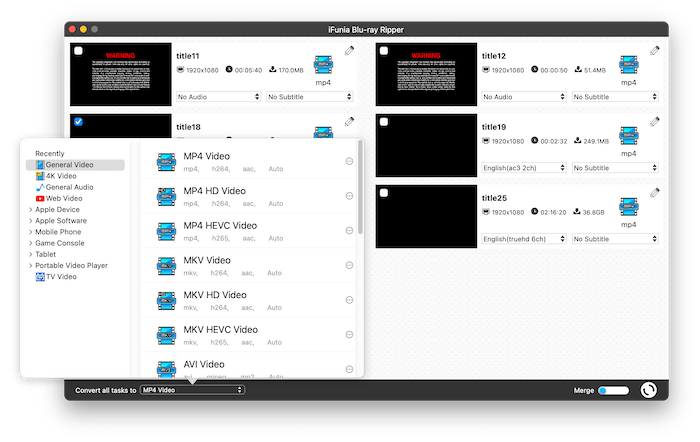
iFunia Blu-ray Ripper converts Blu-ray discs to MP4, MKV, AVI and almost any common video/audio files. It also provides pre-configured profiles for output devices including iPhone, Apple TV, Android, PS4, Windows PC and more. Additionally, its video editing feature allows you to modify and preview the movie before ripping, and merge multiple titles into one.
With this excellent Blu-ray ripper for Mac, you’ll be able to rip all your Blu-ray collections to video files at your disposal.
Free Download macOS 10.13 or later Free Download Windows 10 or later
Pros:
- Handle old and new Blu-ray discs with copy protection
- Convert Blu-ray to a many formats
- Simple to use with an intuitive interface
- Allow users to adjust video and audio parameters
- Built-in video editing tools: Trim, Crop, Rotate, Watermark, Visual Effects, etc.
Cons:
- Not compatible with Windows or old Mac OS
2. MakeMKV for Mac
Input: DVD and Blu-ray Disc, ISO file
Output: MKV file
Price: Free during Beta
MakeMKV is a popular free DVD and Blu-ray ripper software for both Mac and Windows. It can rip encrypted Blu-ray discs to MKV in 1080p. The ripping speed is satisfactory, but you won’t be able to choose other formats or quality levels. The ripped MKV video file is uncompressed and similar in file size to the original Blu-ray file, so make sure your Mac has enough free space before ripping. And you may need to use a video converter tool to reduce the file size and convert to another format if necessary.
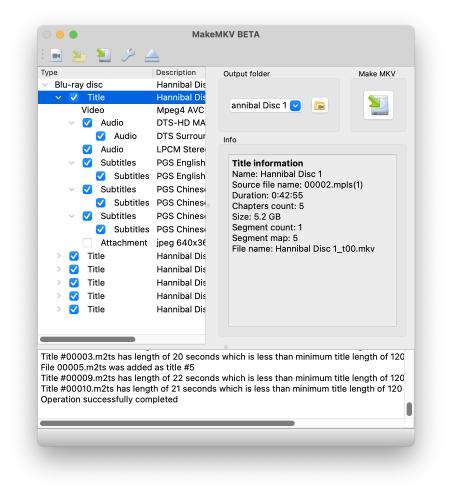
Blu-ray ripping may be a shareware feature in the future, but this free Blu-ray ripper for Mac has been in BETA for over 10 years. And you can use it for free by registering with the beta key released on forum once month. You can also pay $60 to buy a lifetime key to save the hassle and support the developer.
Pros:
- Free to use
- Rip both Blu-ray and DVDs
- Rip to multi-track MKV files without quality loss
Cons:
- Unable to compress the Blu-ray to a smaller size
- Rip to MKV format only
- Can't preview, edit or merge the videos
3. DVDFab Blu-ray Ripper for Mac
Input: Blu-ray Disc/Folder/ISO file
Output: 1000+ formats and 245+ presets
Price: $69.99/year, $99.99/lifetime license
DVDFab Blu-ray Ripper for Mac is a part of DVDFab All-In-One, known for its powerful decryption service and fast ripping speed. It can rip the latest Blu-ray discs in seconds and convert to lossless video files with a GPU-accelerated speed. Another unique feature is that DVDFab can upscale 1080p Blu-ray video to 4K resolution with its built-in Enlarger AI tool, so you can enjoy a cinema-like 4K UHD experience on the big screen.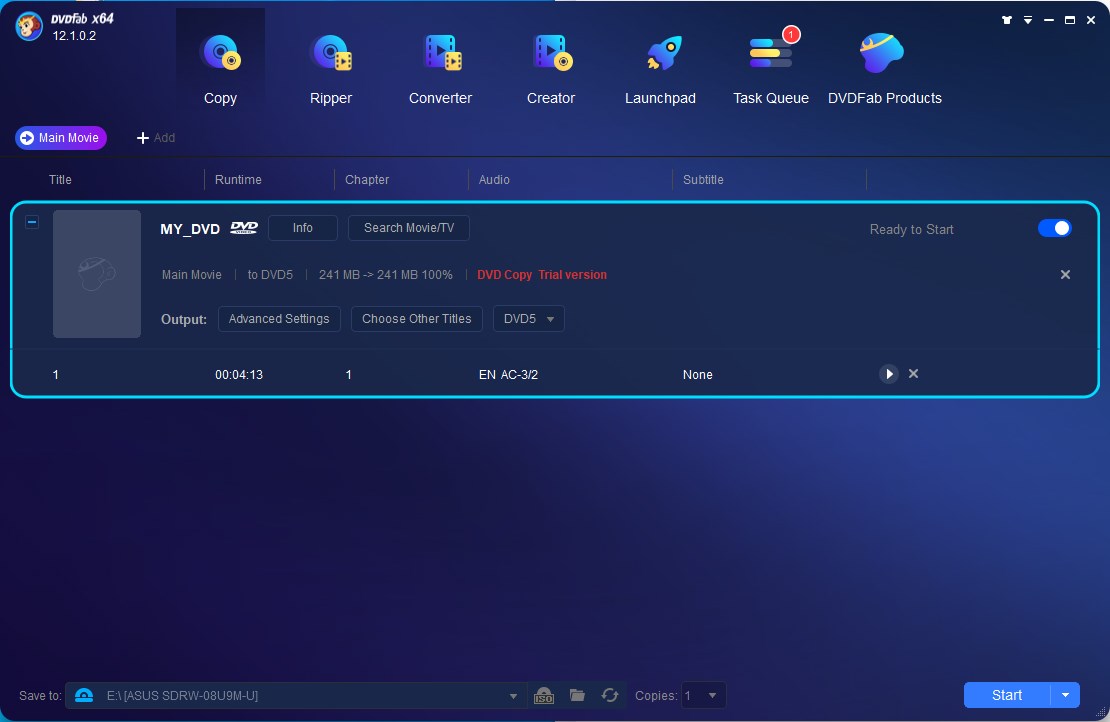
This Blu-ray ripper for Mac offers a free version with limited features, allowing you to rip Blu-ray to MKV/MP4 in 480p or 1080p for free. But the speed can be slow and there are ads asking you to upgrade every time you run it.
Pros:
- Continuous support for newly released Blu-ray discs
- Upscale 1080p Blu-ray to 4K UHD
- Hardware acceleration
Cons:
- Bulky software with many buttons
- Ads jump up
- Expensive
4. EaseFab LosslessCopy for Mac
Input: Blu-ray and DVD Disc, BDMV Folder, Blu-ray ISO
Output: 500+ formats or profiles
Price: $29.95/year, $39.95/lifetime license
EaseFab LosslessCopy is a competent Blu-ray ripper capable of ripping Blu-ray/DVD to lossless MKV or other formats. It allows you to preview the video, take screenshot, trim and rotate the video and merge selected titles into one to distinct your output video.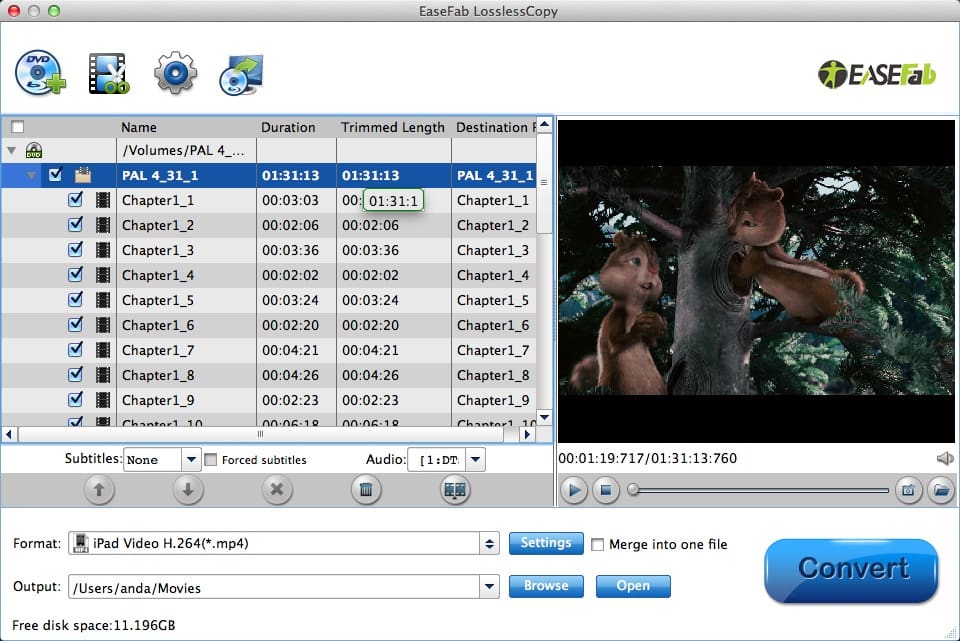
EaseFab LosslessCopy is a feature-rich option that combines Blu-ray ripping and copying, and often at a discount. But it may not work with some newly released Blu-rays, and the interface is rather dated and not intuitive for new users.
Pros:
- Affordable price
- Basic video editor
- Preview the Blu-ray content
Cons:
- Free trial can only rip the first 3 minutes of each item
- Outdated interface
5. Leawo Blu-ray Ripper for Mac
Input: Blu-ray and DVD Disc/Folder/ISO file
Output: 180+ formats
Price: $44.95/year, $99.95/lifetime license
Leawo Blu-ray Ripper is another top Blu-ray ripping software, allowing users to convert Blu-ray to video/audio in popular formats. It allows you to set video and audio parameters in detail, such as quality, codec, bitrate and framerate, aspect ratio and so on. You can also trim and crop the video, and merge several titles into a single file.
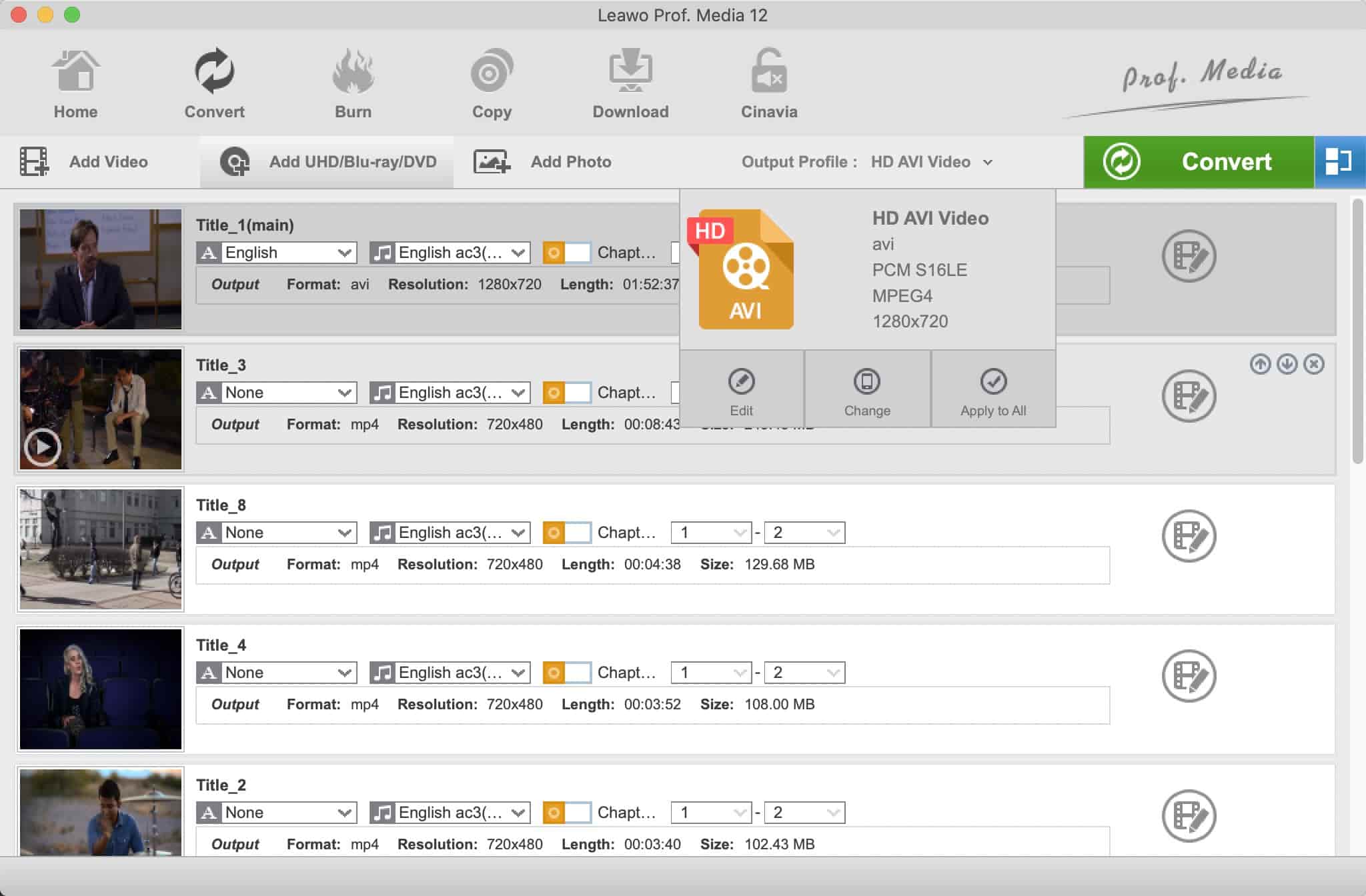
As an integrated module of Leawo Prof. Media, an 16-in-1 media converter suite, Leawo Blu-ray Ripper for Mac is bundled with two other modules - DVD Ripper and Blu-ray Recorder Ripper - for sale. So if you can make use of these two, it’s a worthy choice for you.
Pros:
- Rip and create 3D Blu-ray movies
- Also rip DVD and UHD discs
- Remove Cinavia watermark from Blu-ray movie
Cons:
- Bundled sales
- Can’t rip some early Blu-ray movies with BD+ encryption
6. VideoByte BD-DVD Ripper for Mac
Input: Blu-ray/DVD Disc, Folder and ISO file
Output: Lossless MKV and regular video/audio
Price: $79.95/lifetime license
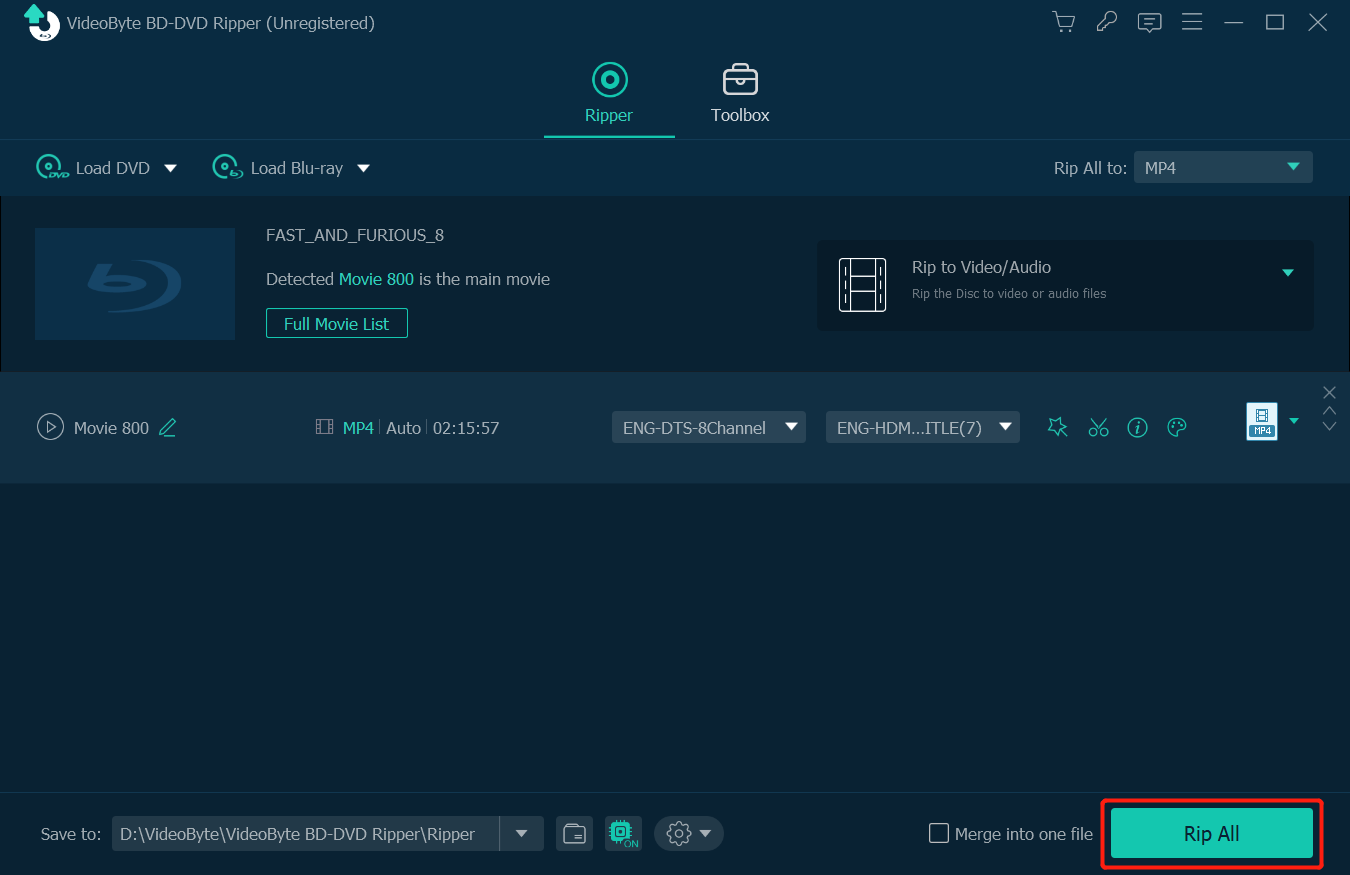
As its name suggests, VideoByte BD-DVD Ripper supports both Blu-ray and DVD ripping. This excellent Blu-ray ripper for Mac can bypass most protection schemes like BD+, Cinavia and AACS, and convert Blu-ray to over 300 video/audio formats. In addition, it enables you to edit the metadata of each episode before ripping, so you can add a cover and adjust the title, artist, genre, year and so on to better manage your media library. Aside from the media metadata editor, you can find more tools from its Toolbox section, which includes a video compressor, 3D maker and GIF maker, etc.
Pros:
- Pleasant dark skin interface
- A useful toolbox to enhance the ripped videos
Cons:
- A bit expensive
- Slow startup
7. HandBrake
Input: Blu-ray Disc and any other media file
Output: MP4, MKV, WebM
Price: Free
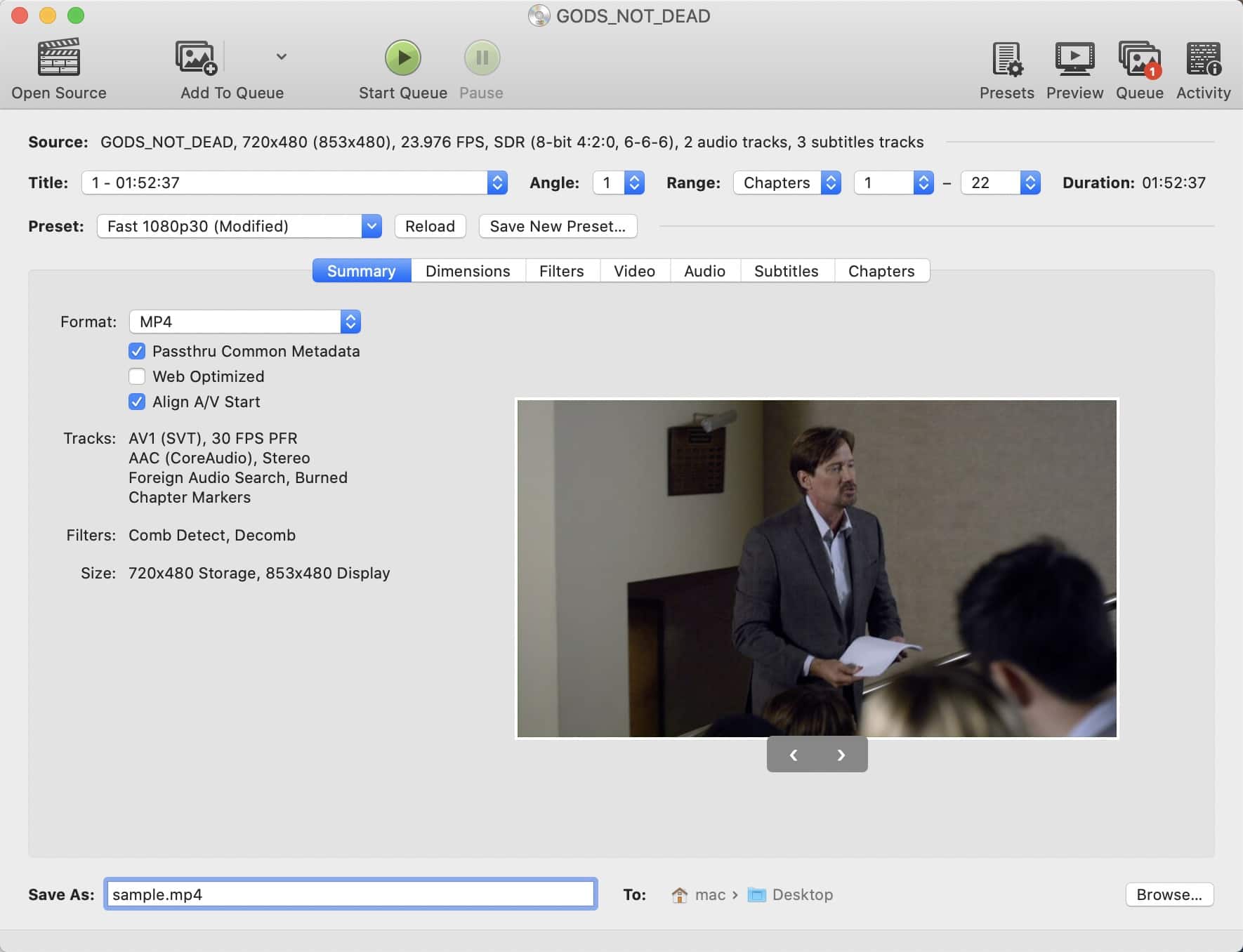
HandBrake is a free video transcoder that can convert Blu-ray and DVD discs to MP4, MKV or WebM files. It lets you choose which chapters and language tracks to rip, tweak video and audio settings, and add external subtitles and audio tracks to the video before ripping.
But can HandBrake rip Blu-ray with copy protection? The answer is no on its own, but with the help of other tools it’s possible. You can add the ability to rip Blu-ray discs protected by AACS and BD+ technologies by integrating HandBrake with libaacs and libbdplus, two free software libraries. But the procedure is quite difficult and even if you succeed, the ripping can be really slow. If you’re interested in getting this free app to work with Blu-ray discs, this tutorial may be helpful.
Pros:
- Free and open source
- Convert Blu-ray to common formats and reduce file size
Cons:
- Can’t handle encrypted Blu-ray by itself
- Take a long time to read a disc
- Extremely slow ripping speed
8. AnyMP4 Blu-ray Ripper for Mac
Input: Homemade Blu-ray Disc/Folder/ISO and AVCHD Disc/Folder
Output: Lossless MKV and regular formats
Price: $55.96/lifetime license
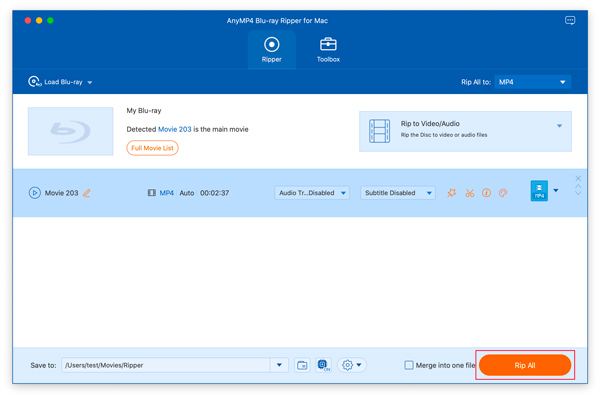
AnyMP4 Blu-ray Ripper for Mac shares a similar interface with VideoByte, is equipped with a variety of Blu-ray ripping functions and the same toolbox, such as metadata editor and video compressor, so why rank last? The killer problem is that AnyMP4 cannot rip Blu-ray with copy protection, which makes it worthless for most users. You can use it to rip homemade Blu-ray and AVCHD discs to regular video and audio formats, and utilize the video enhancer tools to manage the files. But if you need to crack encrypted discs, avoid it.
Pros:
- Also support AVCHD discs
- Easy to use
Cons:
- Cannot rip copy-protected Blu-ray discs
- Too expensive for what it can do
How to Choose the Best Blu-ray Ripper for Mac?
I tested more than a dozen different Blu-ray rippers on my iMac running OS 14 Sonoma by ripping the same Blu-ray TV series. The rankings are based on the following attributes:
- Compatibility with Mac. Some popular Blu-ray rippers for Mac, such as Pavetube BD Magic and Xilisoft Blu-ray Ripper, are not included in the list as they have been discontinued for years and are only compatible with old pre-Catalina OS X.
- Output quality. A qualified Blu-ray ripper should be able to rip with a lossless quality and allow users to adjust the video and audio quality.
- Decryption feature. Capability to bypass Blu-ray copy protection schemes including AACS(Advanced Access Content System), BD+, BD-J, region code, etc.
- Ease of use. Simple and intuitive interface provides better ripping experience for Mac users. Some Blu-ray rippers with a lot of buttons and options are just not user-friendly for beginners.
- Additional features. Do you need to trim the video, add subtitles, merge special content and more? Choose a product that provides these functions.
- Pricing. Most Blu-ray rippers for Mac are premium software, priced between $40 to $100 for a one-off payment.
Conclusion
Based on the above criteria, we're convinced that iFunia Blu-ray Ripper is an optimal choice for Mac users looking for an easy and efficient way to rip Blu-ray discs. You can also try MakeMKV if you want to produce multi-track videos and are not afraid of large file sizes. With the right Blu-ray ripper, you can better build your media library and enjoy high quality Blu-ray content on any device or platform.
Disclaimer:
This article is for educational and personal backup purposes only. Please rip only Blu-rays for which you own the copyright or have obtained permission. Circumventing Blu-ray copy protection schemes may be illegal in some regions. Follow your local laws and don't use unauthorized ripped files for public or commercial purposes.

Chloe LEE is good at explaining and solving complex technology problems to her readers. Since joining iFunia Studio, she has focused on writing articles about video and DVD software, and how-to tutorials.
Comments (0)
Leave a Reply