


How to Free Download YouTube Rental Movies (2025 Guide)




When YouTube launched its streaming rental service, the prospect of watching live streamed video from all our favorite content providers excited us all. We can watch the latest movies as well as award-winning classics. There is just one problem though – getting movies through YouTube movie store can be expensive. So how can we make YouTube rentals downloadable?
A How-To Wiki points to a software program called iFunia Free YouTube Downloader which allows users to easily download content from YouTube in HD 720p, full HD 1080p or Ultra HD 4K, among other options. Below are steps on how it works to free download YouTube rental movies. It offers both Mac and Windows version for people to choose. Before starting, download the right version of iFunia Free YouTube Downloader based on your computer.
 Free Download Windows 10 or later
  Free Download macOS 10.15 or later
Download Rented YouTube Movies for Offline Viewing with YouTube Premium
Considering an official and lawful way to download rented YouTube movies? Subscribing to YouTube Premium might be a good choice. Note that, with this method, movies you save are limited to 1080p quality or lower.
- Sign in to YouTube on your device, and log in with your premium account.
- Open the rented movies you want to download.
- Tap Download under the video.
- Choose the quality (Low, Medium, or HD). Higher resolutions take more storage.
- After the download completes, you can find the video in the Downloads section of YouTube. In the mobile app, tap Library > Downloads.
Tips: Note that movies saved this way are tailored specifically for watching within the YouTube app. They aren't free like a standard video file format; you cannot watch them with VLC or other devices, and also, editing is not possible.
Guide
Step 1. Add YouTube Rental Movie URLs
To make the magic happen, all you need to do is go to http://www.youtube.com/movies, find the YouTube rented movies that you want to free download, and open iFunia Free YouTube Downloader.
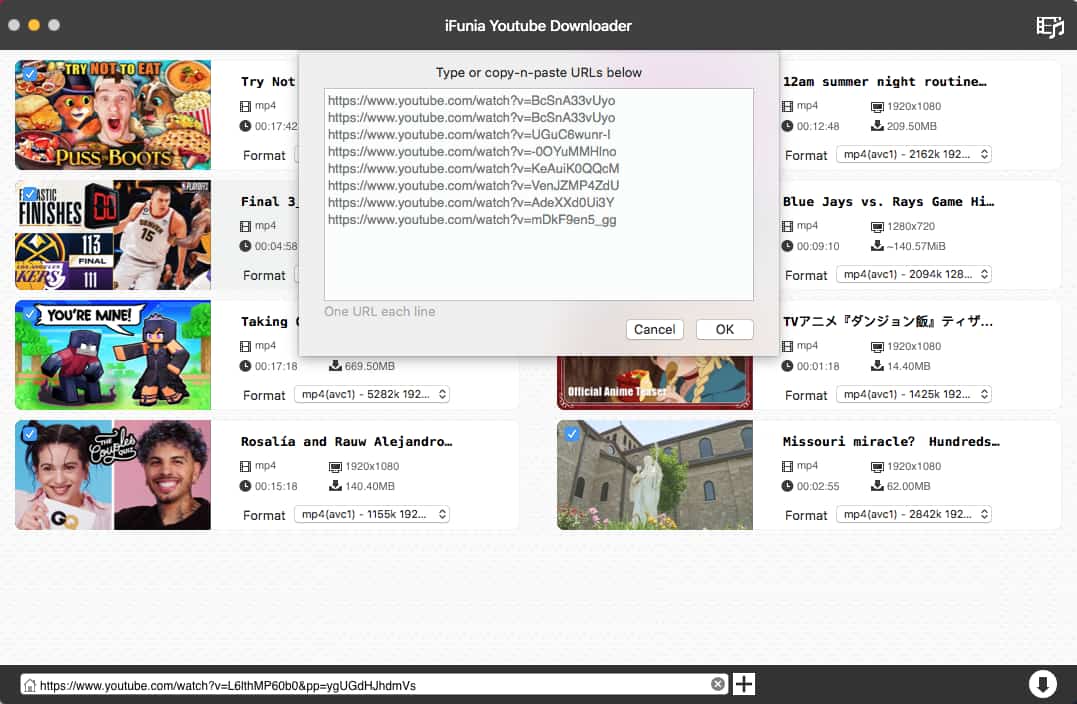
It's easy to add the URL of the YouTube rented video or movie that you want to download to the downloading list. Simply copy the video URL, and paste it to the URL field of this YouTube downloader at the bottom.
To batch download multiple videos at a time, just add all the URLs, one URL for each line.
Step 2. Start Downloading YouTube Rental Movies
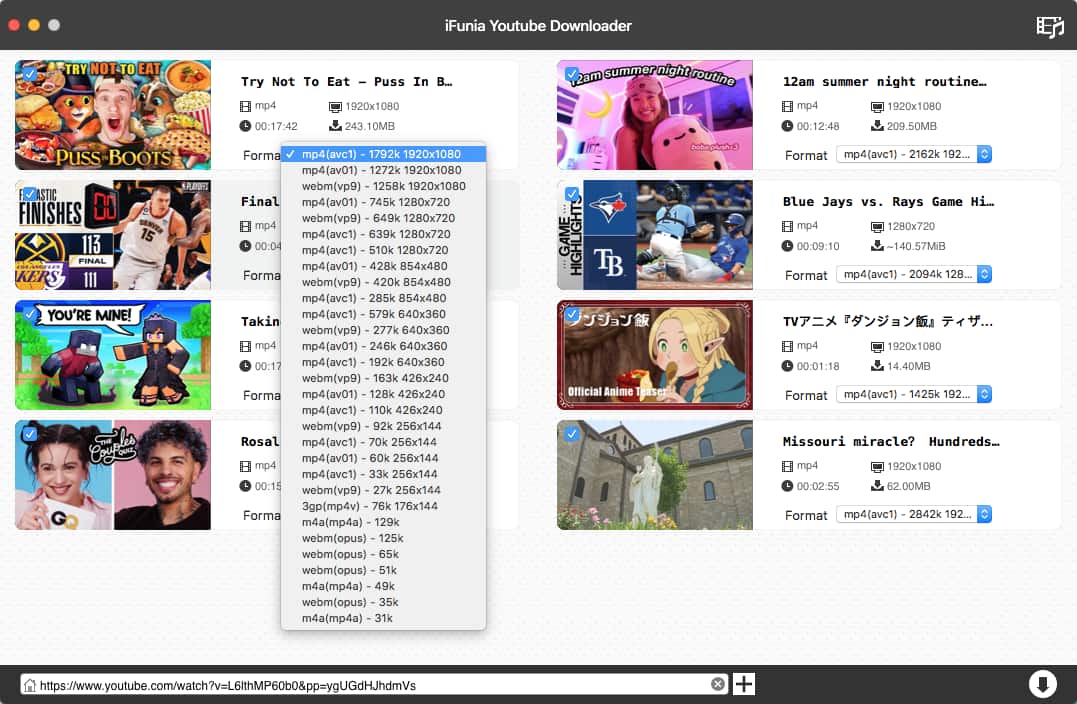
The YouTube rental movies will start downloading after you add the YouTube rental movie URLs and choose the output format and video quality. Subsequently, click the arrow down icon to start downloading. Make sure you have proper internet connection and the URLs of YouTube rental movies are correct. You're able to free download multiple YouTube rental movies all at a time just by adding all the URLs.
Tip
To watch the downloaded YouTube rental movies on smartphones and tablets such as iPhone 8/8 Plus, Samsung Galaxy Note 8, iPad, iPad Pro, Samsung Galaxy Tab, etc., you can choose MP4 as the output format when you download movies using iFunia Free YouTube Downloader. Now you can enjoy YouTube rental movies offline on computer or mobile devices anytime anywhere without limits.
Free Download Windows 10 or later Free Download macOS 10.13 or later
Most Popular Rental Movies on YouTube
Here is a list of some of the most popular rental/paid movies on YouTube in 2023 so far.

- Coco (2017) 1:45:01
- IT 2:14:39
- Jumanji: Welcome to the Jungle 1:59:02
- Thor: Ragnarok 2:10:42
- Justice League 2:00:01
- Star Wars: The Last Jedi 2:32:02
- Interstellar 2:49:01
- Harry Potter and the Half-Blood Prince 2:33:27
- Deadpool 1:48:06
- Mary Poppins 2:19:08
Tip: If you want to know how to download YouTube videos with VLC media player, read this article to learn more!
Disclaimer
The methods in this article are for personal use only. Before downloading, you must comply with copyright laws and obtain permission from the owner for protected content. The author is absolutely against the downloading of unauthorized video/audio files or using them for commercial gain.

Chloe LEE is good at explaining and solving complex technology problems to her readers. Since joining iFunia Studio, she has focused on writing articles about video and DVD software, and how-to tutorials.
Comments (1)
Leave a Reply
melbet registered
The question is interesting, I too will take part in discussion.