Babies – they're hilarious. We can easily be affected by the purity of their joy, so it's no surprise that some of the most popular videos on YouTube are baby videos. To relieve stress, people would like to download funny videos of babies dancing, babies fighting videos, etc. from YouTube or other video hosting websites. Here I'm going to share with you the most popular funny baby videos, along with the guides on funny baby videos free download for Mac and Windows.
 iFunia YouTube Downloader
 Free Download Windows 11/10/8/7
  Free Download macOS 10.11 or later
iFunia YouTube Downloader, a critically acclaimed tool, makes the process of funny baby videos free download simple and fast. It's capable of downloading funny baby video clips from YouTube, Facebook, Dailymotion, Instagram, Vevo, IMDb, and many other websites. Not only can it download standard videos but also HD, FHD, and UHD videos with the minimum of hassle.
This funny baby video downloader is uncluttered and safe, which will never inwardly install third-party spyware and adware on your Mac and Windows.
Step 1. Open the software
Download and install iFunia YouTube Downloader. And then fire up the software on computer.
Free Download Windows 11/10/8/7 Free Download macOS 10.11 or later
Step 2. Add funny baby video clips
Visit the video hosting site like YouTube and search for funny baby videos. Simply copy the video URL from YouTube, paste the link to the software, and it will show you the video title, video thumbnail, and available resolutions & formats.
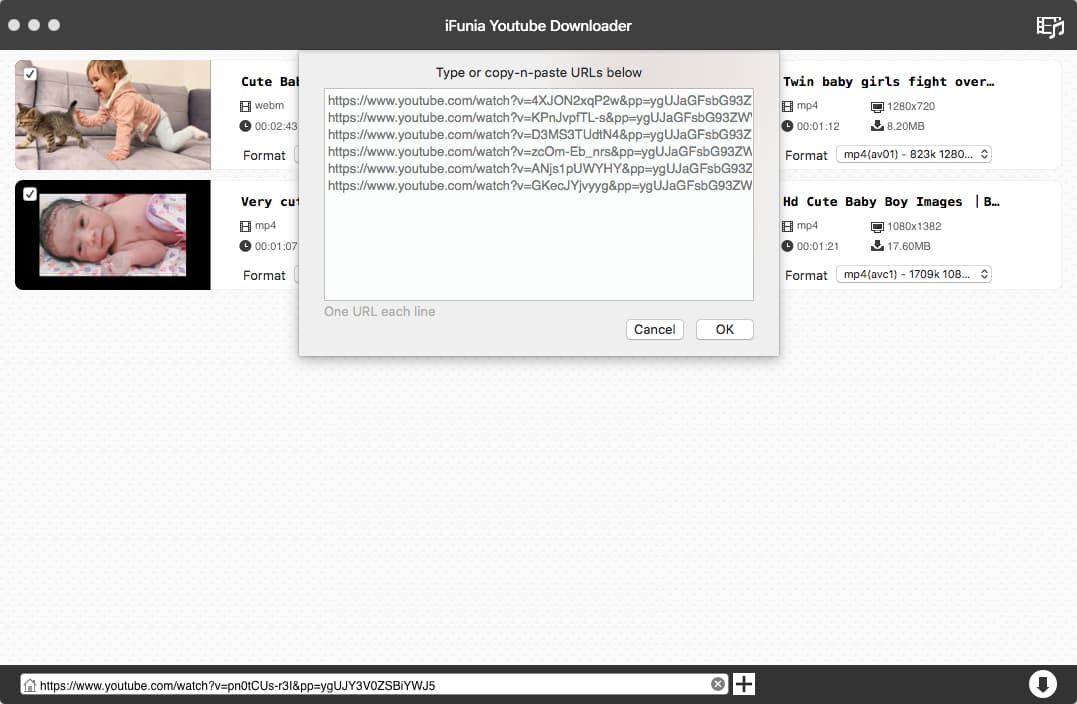
Step 3. Start funny baby videos download
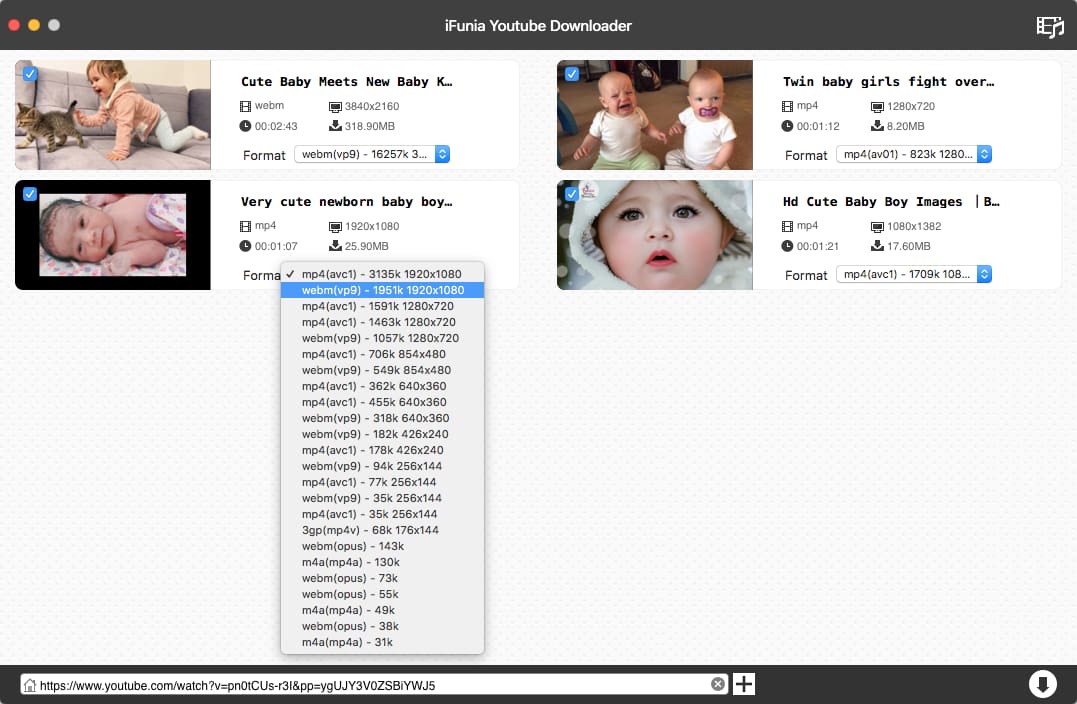
In the Format field, there is a drop-down menu listing various output formats and resolutions. Select one of them you intend to save the video in, and click the download ↓ icon to begin YouTube funny kid videos download.
Tip: How to watch baby videos on portables
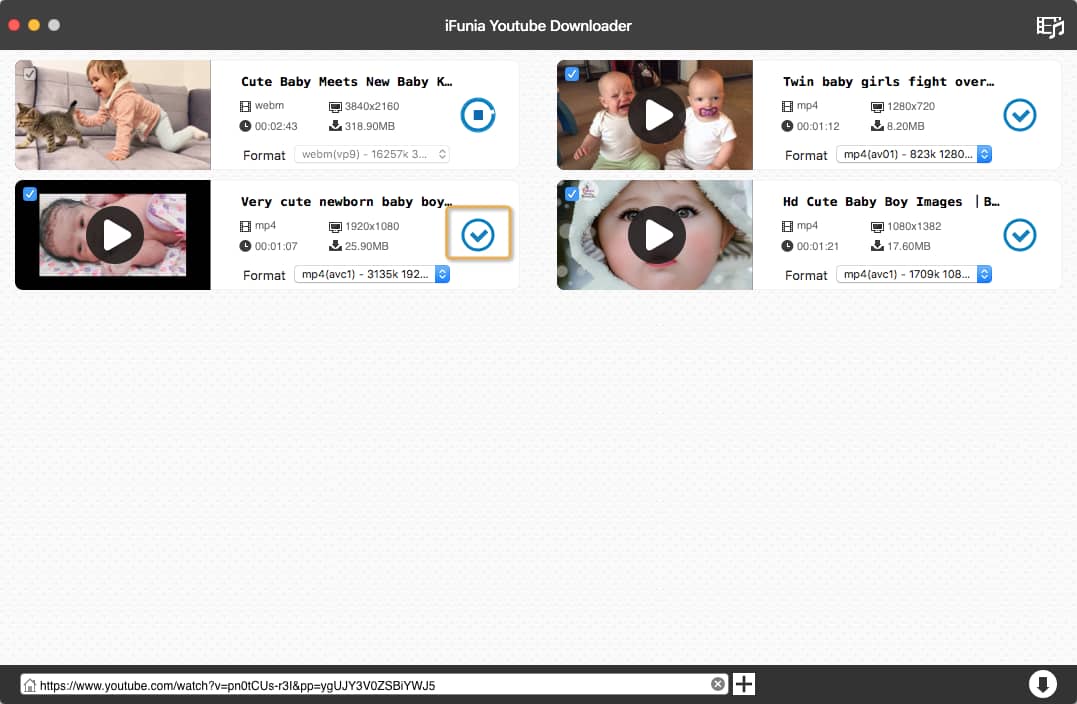
After the download process is completed, you can click the checkmark icon to check the downloaded files.
If you want to watch these videos on your smartphone, tablet, etc., you just need to transfer the MP4 files from your computer to your mobile devices. Since the MP4 file is compatible with all major media players and devices, you can play the videos without trouble.
It is a Windows-based program, specially designed to download videos from YouTube, Vimeo, Metacafe, Dailymotion, and thousands of other video-hosting sites. It's packed with hardware-accelerated encoding decoding technology, so you can perform baby funny video download at fast speed.
It supports video/audio file conversions between tons of formats, like MP4, FLV, MOV, MP3, VCD, AAC, etc. Also, you can choose the optimized presets for compatible with your devices.
Step 1. Run TubeMate Video Downloader.
Download the software, get it installed on your PC and run it.
Step 2. Copy and paste video URL.
Copy the URL of the funny baby video you want to save to your PC.
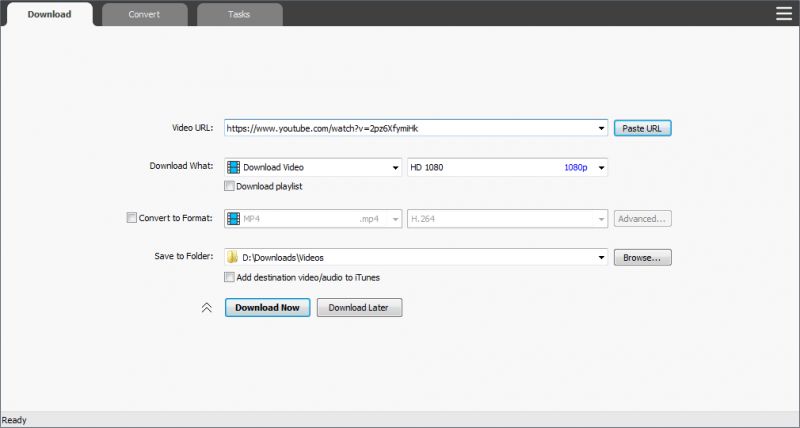
Back to TubeMate Video Downloader, in the “Download” tab, paste it at the URL field.
Step 3. Start baby video download.
Choose the desired output format, video quality (e.g. HD 1080p, QHD 2K, 4K, 5K), and output location. When everything is ready, click the "Download Now" button.
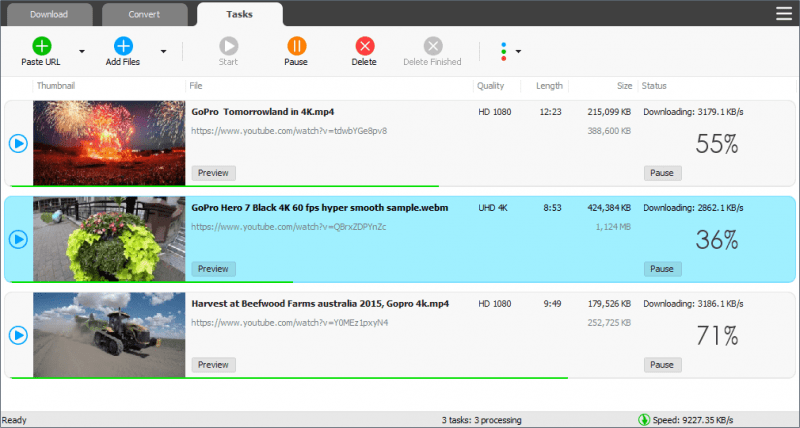
The downloading process will show up in the "Tasks" tab. In this tab, you can preview, delete, pause, etc. your downloading baby videos.
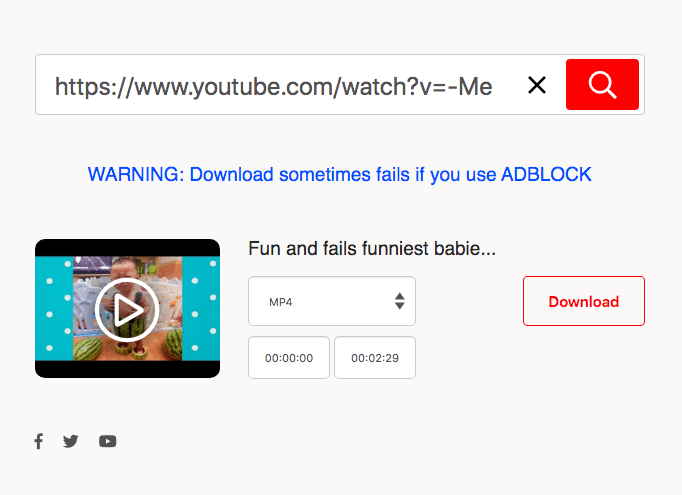
MP3hub, a web-based tool, comes with a user-friendly and ads-free UI. It helps you download cute baby videos from Soundcloud, Facebook, Instagram, Twitter, Vimeo, and YouTube. You can save the videos to MP3 (audio only) or MP4 (video + audio). If needed, you can also modify the video duration.
Compared with professional software, however, MP3hub supports fewer websites for baby video download. And there are no resolution options for you to choose the output quality.
Step 1. Head over to the video hosting website that MP3hub supports.
Step 2. Find your favorite funny baby clips and copy its link.
Step 3. Open https://www.mp3hub.com/ in a new browser tab, and you will immediately see a toolbox where can insert URL.
Step 4. Paste your copied link to the toolbox, and click on the red search button. Your video thumbnail will appear with a download button inside it.
Step 5. Choose MP4 as output video format.
Step 6. Begin child funny videos free download in MP4 format.
The Ultimate Compilation of Funny MESSY BABIES!
https://www.youtube.com/watch?v=25fFpphsFxI
Try not to laugh when you watch these cute and funny kids and babies.
Talking Twin Babies
https://youtu.be/N9oxmRT2YWw
The point in life when you realize Mom is crazy, yet funny at the same time…
Baby Dancing to Beyonce- Single Ladies
https://youtu.be/kU9MuM4lP18
This baby really gets into dancing to Beyonce. With moves like this, it's hard to believe this clip is real! Who taught this baby to dance?
Funny baby videos make you laugh from the bottom of your hearts. These interesting videos can be found on YouTube, Instagram, Dailymotion, Yahoo, Vimeo and a wealth of other sites. That downloading baby video clips lets you enjoy the funny moments on your computer or mobile devices anytime anywhere. There is no need for an Internet connection, and you don’t have to wait for the buffering. Hence don't hesitate to collect the best video downloader introduced above for funny baby video download.

Cheryl has been writing tutorials, reviews, and how-to articles on consumer apps since 2016. She specializes in multimedia products and is always testing on Mac, PC, and various devices.